
Studio Notes
The Best Creative Apps for iPhone Duo
2026-11-04
The best creative apps already optimized for Apple's foldable iPhone Duo — cameras, photo editors, drawing apps, video editors, synths, and strange little instruments that use the hinge, the half-fold, and the second screen instead of just stretching to fit.
Every iPhone app opens on iPhone Duo, but most of them are not designed or optimized to use its unique layout.
Currently opening most of the apps they will sit in an iPhone-shaped window in the middle of a 7.6-inch display, black bars on either side, as if nothing happened. That is fine for a weather app, I guess. It is a waste for a creative one.
Creative tools are where the Duo should make the most sense. A photo editor wants the image on one side and the controls on the other. A video editor wants a preview monitor above a timeline. A camera wants to stand up on its own. A sketchbook wants to open like a sketchbook. An instrument wants a surface to play and a surface to look at.
This list is the creative apps that actually do something when you open, fold, or prop up the phone — not just the ones that got wider. Some are big names Apple featured at launch. Some of them are small, odd, indie apps that treat the hinge as part of the instrument. That second group is the more interesting one to me.
How to read this list. The Duo is a few weeks old and the app ecosystem is moving fast. Apps marked as launch partners were named by Apple. Everything else has either shipped a Duo update on the App Store or been shown running by its developer. Where a developer has only announced support, we say so.
Photo and video editors
Bitrot — Glitch Photo Editor
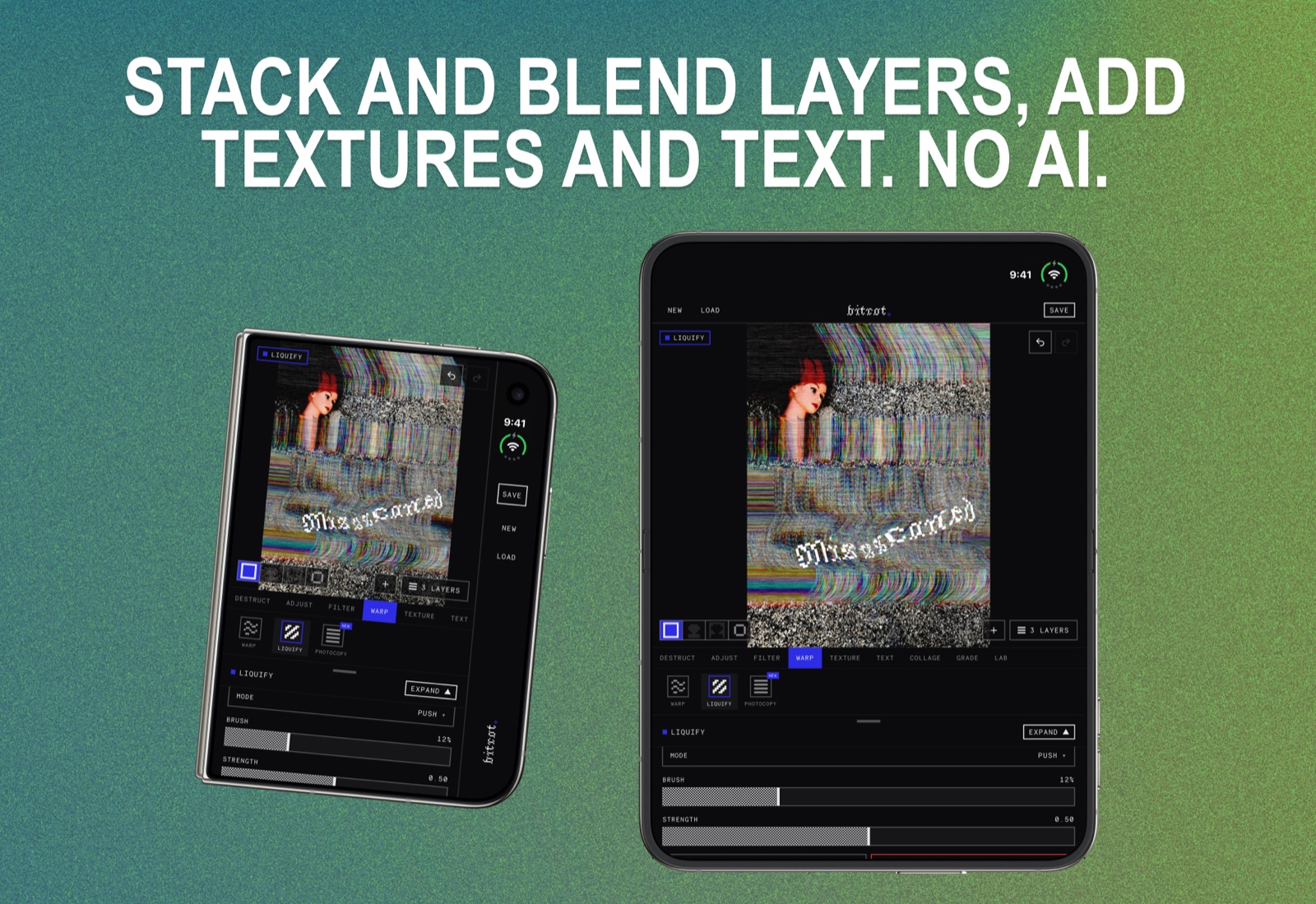
Bitrot is our own app, and as of version 1.1.1 it is built for iPhone Duo. Closed, the canvas sits above the tool panel with Save, New, and Load in a rail down the side of the cover display. Open it, and the image gets its own half of the screen while the full tool panel — Destruct, Adjust, Filter, Warp, Texture, Text — sits beside it, so you can push a data mosh or a liquify and watch the whole image change at once.
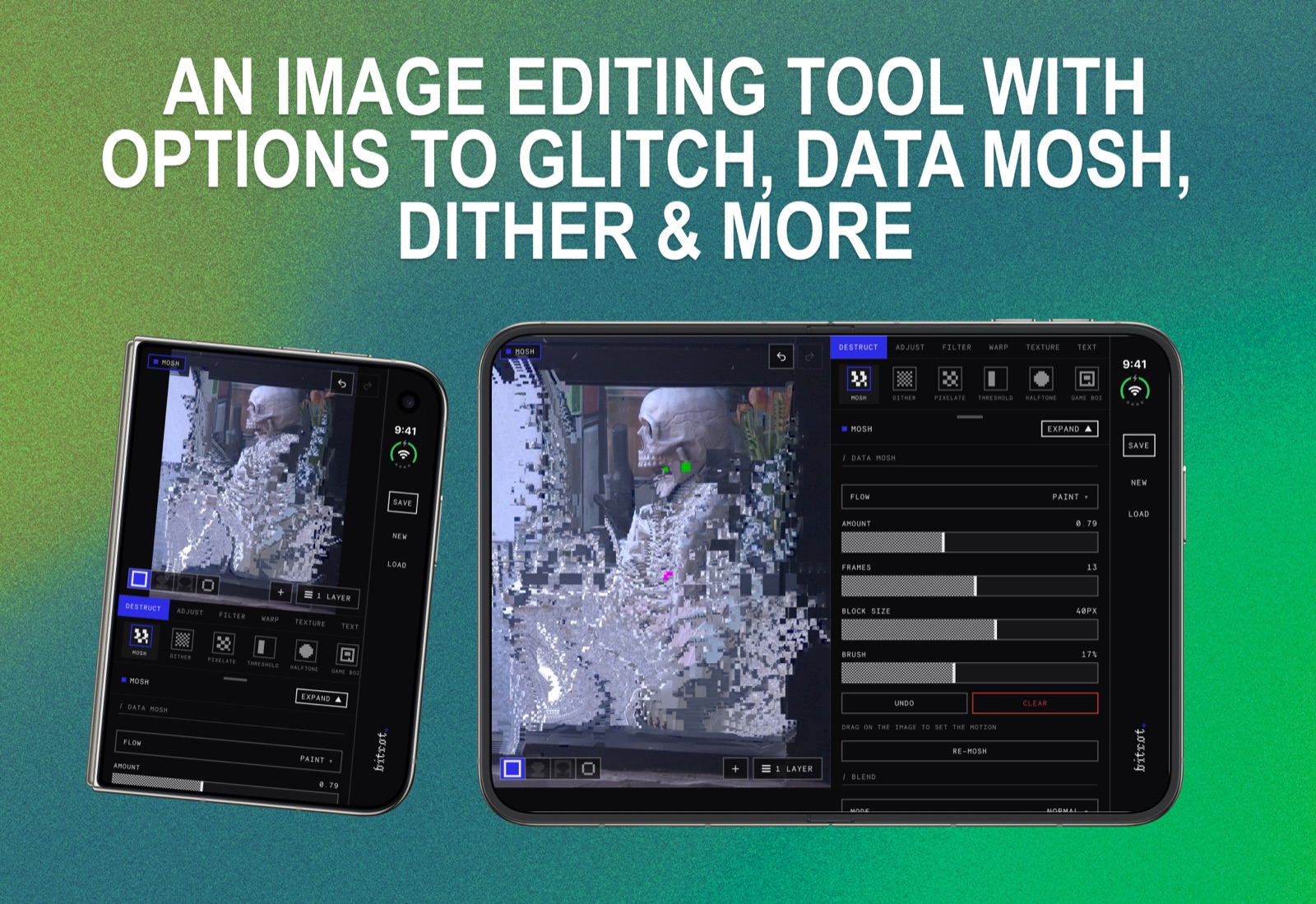
It is a real editor — layers, blend modes, masks, undo and redo — wrapped around analog and digital effects most apps do not touch: dithering, datamosh, halftone, CRT and VHS artifacts, risograph, halation, scan lines, warp and liquify. Everything runs on device at full resolution. No AI, no cloud, no account. The complete editor is free with no watermark.
App Store: Bitrot — Glitch Photo Editor
Edits — Instagram
Edits was one of Apple's featured launch apps, and it is the clearest example of why a foldable makes sense for video editing. With the Duo open, the preview monitor sits on one half of the inner display and the timeline on the other. You can scrub, add text, set keyframes, and watch the result without collapsing and expanding the preview every time you make a change.
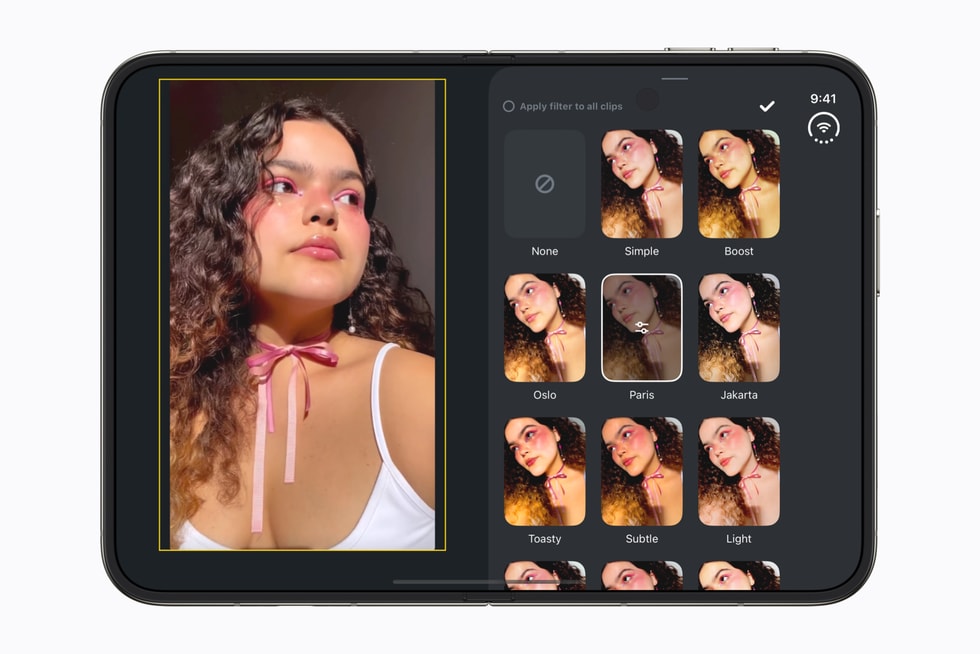
It is the layout every desktop editor already has. The difference is that it now folds into your pocket.
App Store: Edits: Video Editor
VLLO
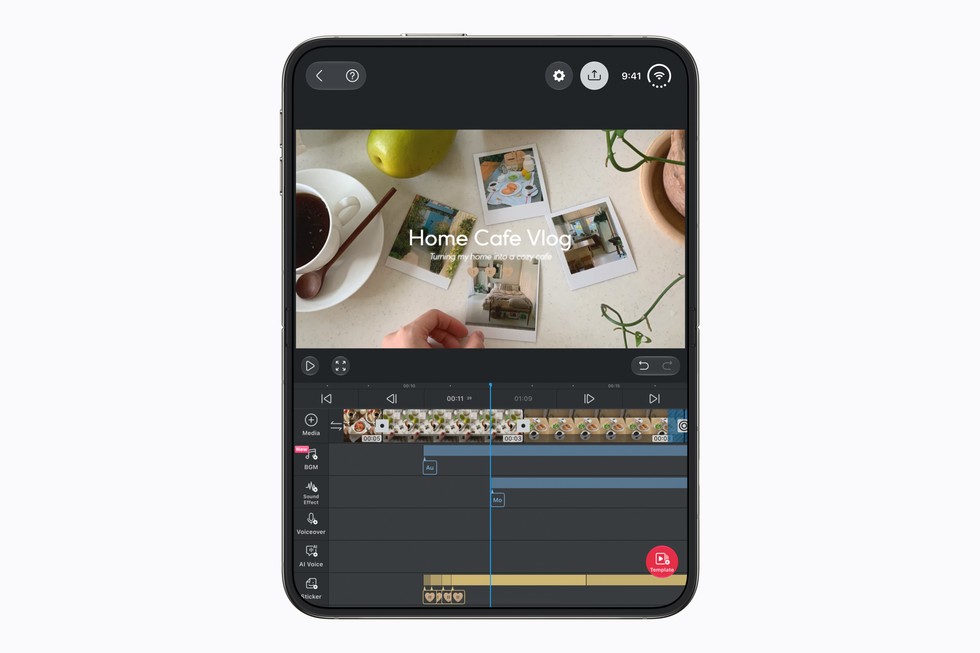
VLLO is a longstanding mobile video editor that Apple also named at launch. On the Duo, it puts more of its editing controls and more of your footage on screen at the same time. Less hunting through menus, more cutting.
App Store: VLLO
Lumen Darkroom
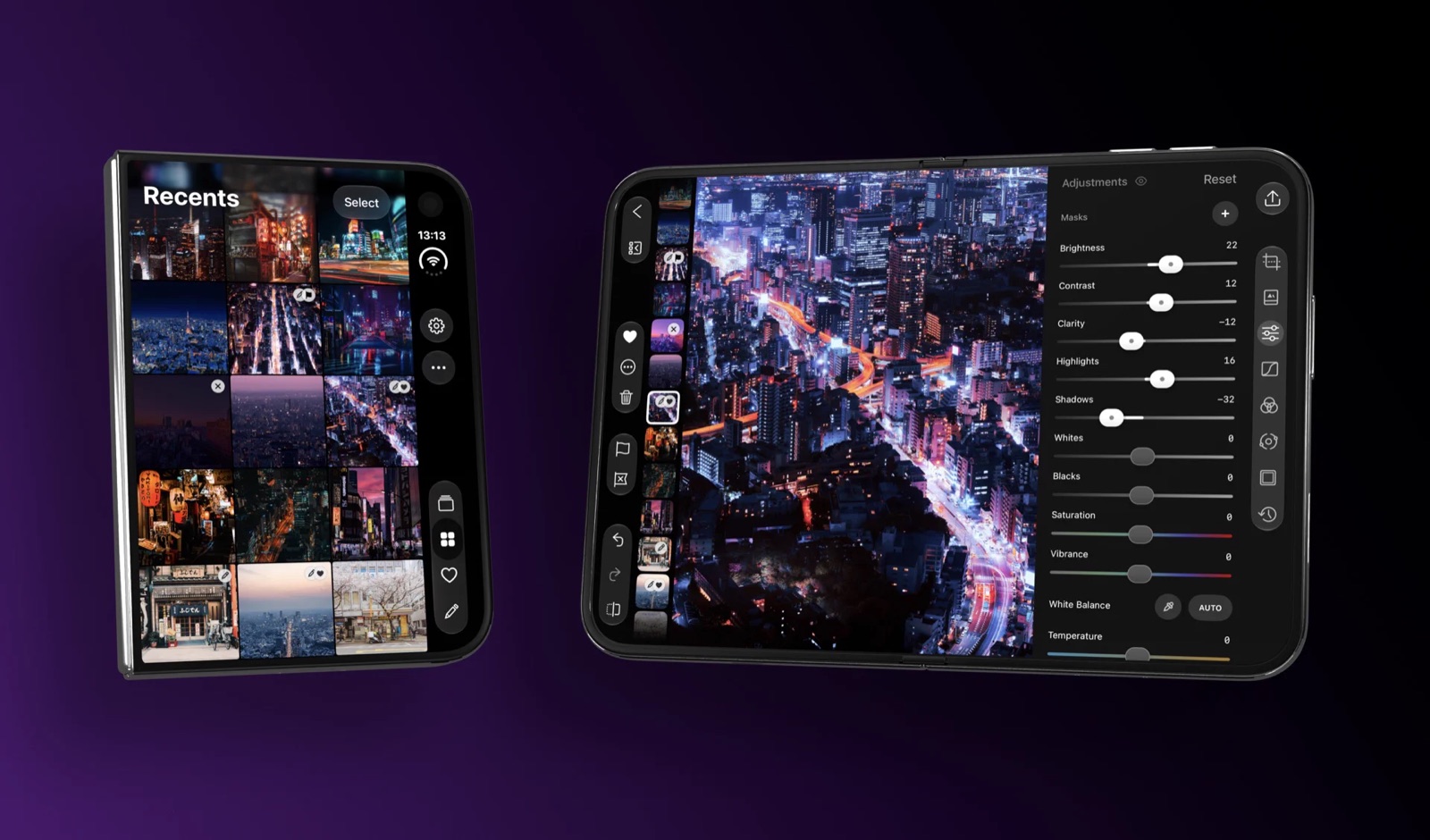
Lumen Darkroom leans into the fold as a desk: the image sits above the hinge and a darkroom-style control deck lies flat below it. Half-folded on a table, it starts to feel like an editing station rather than a phone.
App Store: Lumen Darkroom
PhotoCream Pro — Film Filters
A film-filter camera and photo editor that has been optimized for the Duo. If you like the look of grain, faded color, and analog stock, it is one of the few film-emulation apps already updated.
App Store: PhotoCream Pro
Cameras
Flipcorder — Retro Camcorder
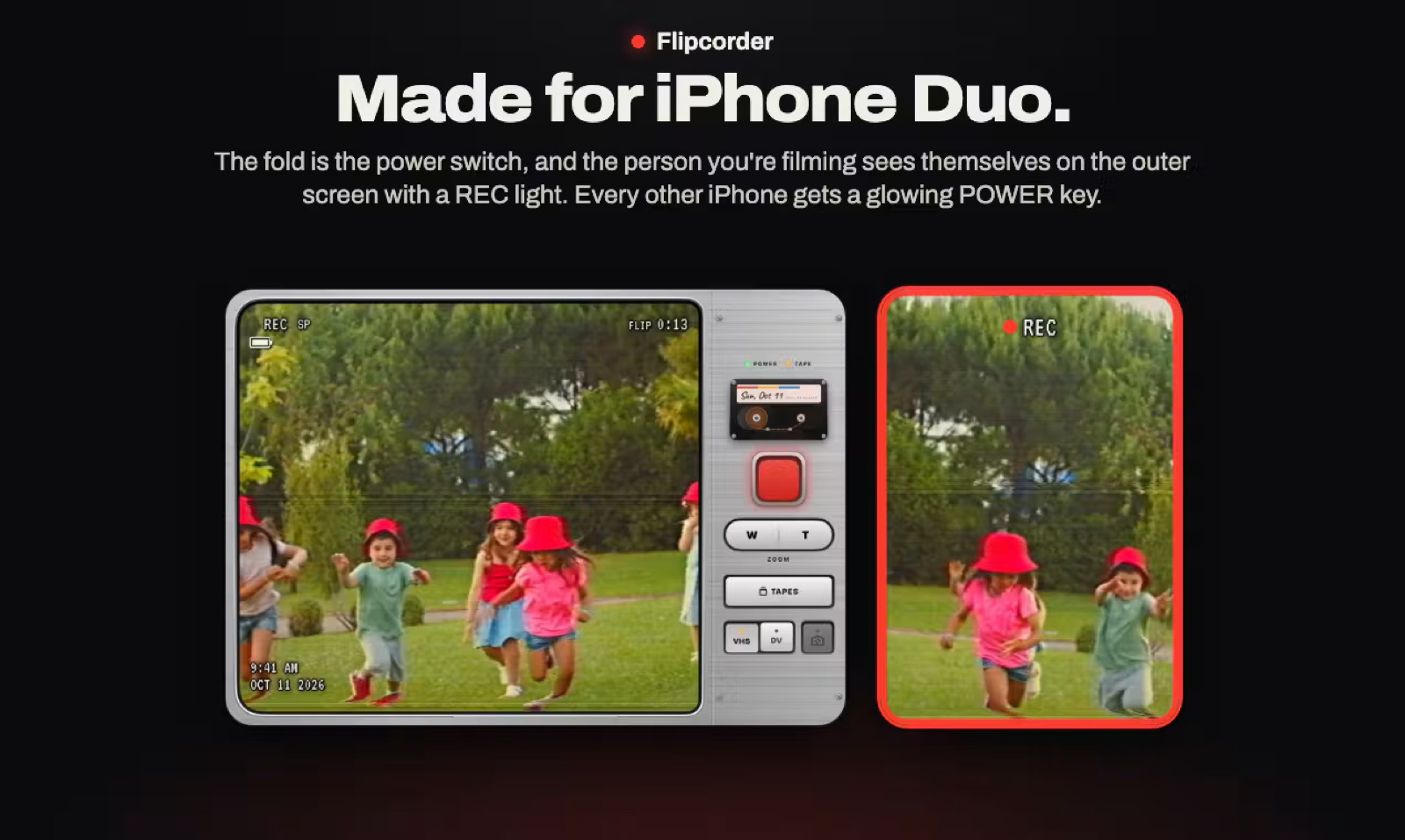
Flipcorder is the kind of app that only makes sense on a phone that folds. Closed, the outer display shows a capped lens. Open the Duo to take the cap off and start recording, and the cover display turns around to show your subject a live preview — just like the flip-out screen on an old handycam. Clips get a VHS or MiniDV look, and your "tapes" are cataloged by day, so a day's footage plays back as one stitched-together reel.
App Store: Flipcorder: Retro Camcorder
PhotonCam
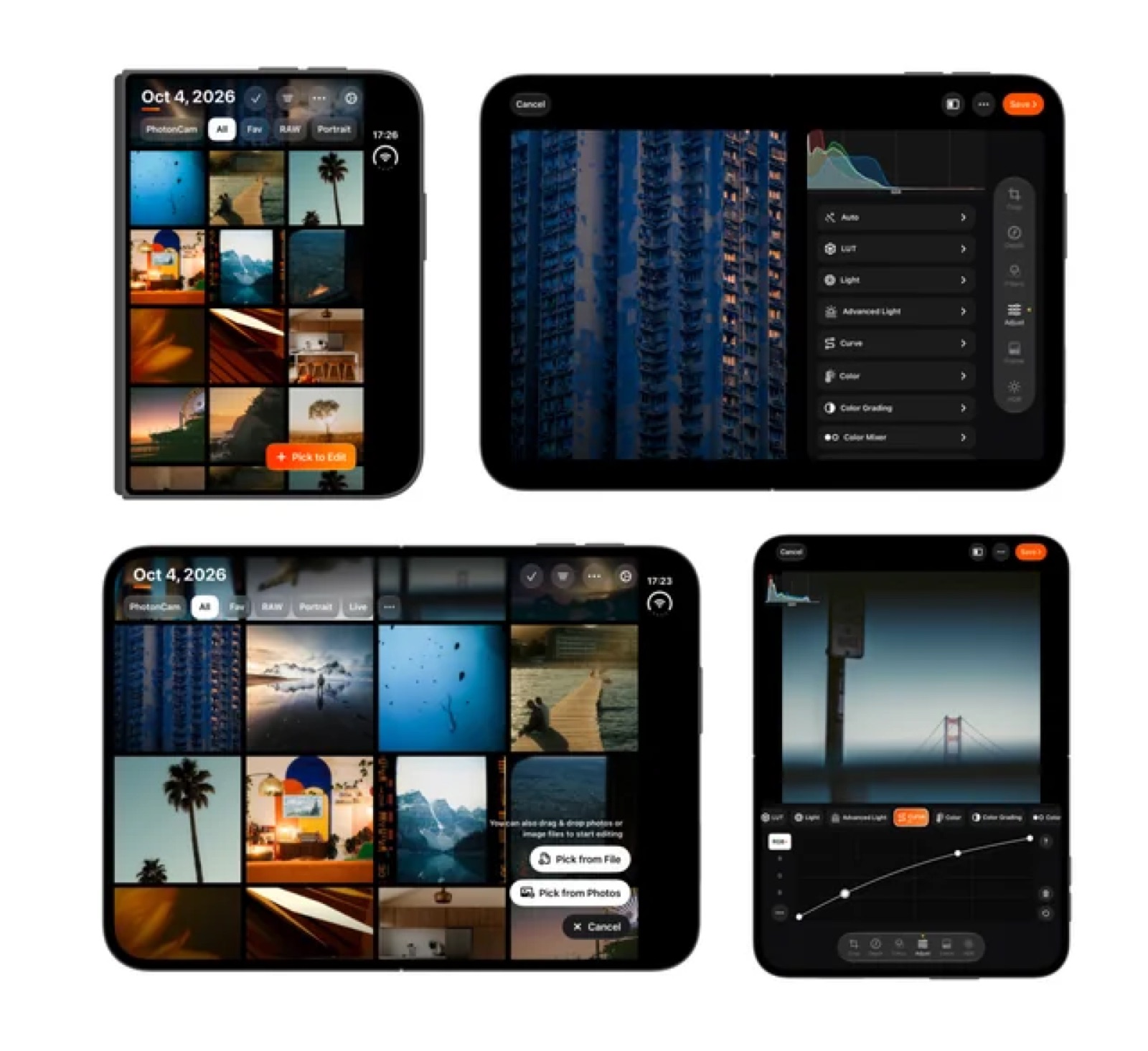
PhotonCam is a pro camera app whose photo collections spread across the open Duo and shrink back to a single photo when you shut it. It is a good example of an app that thought about all three states — closed, open, and the transition between them — instead of just the big one.
App Store: PhotonCam: Pro Camera & Editor
SixtyFive Camera & SixtyFive Motion
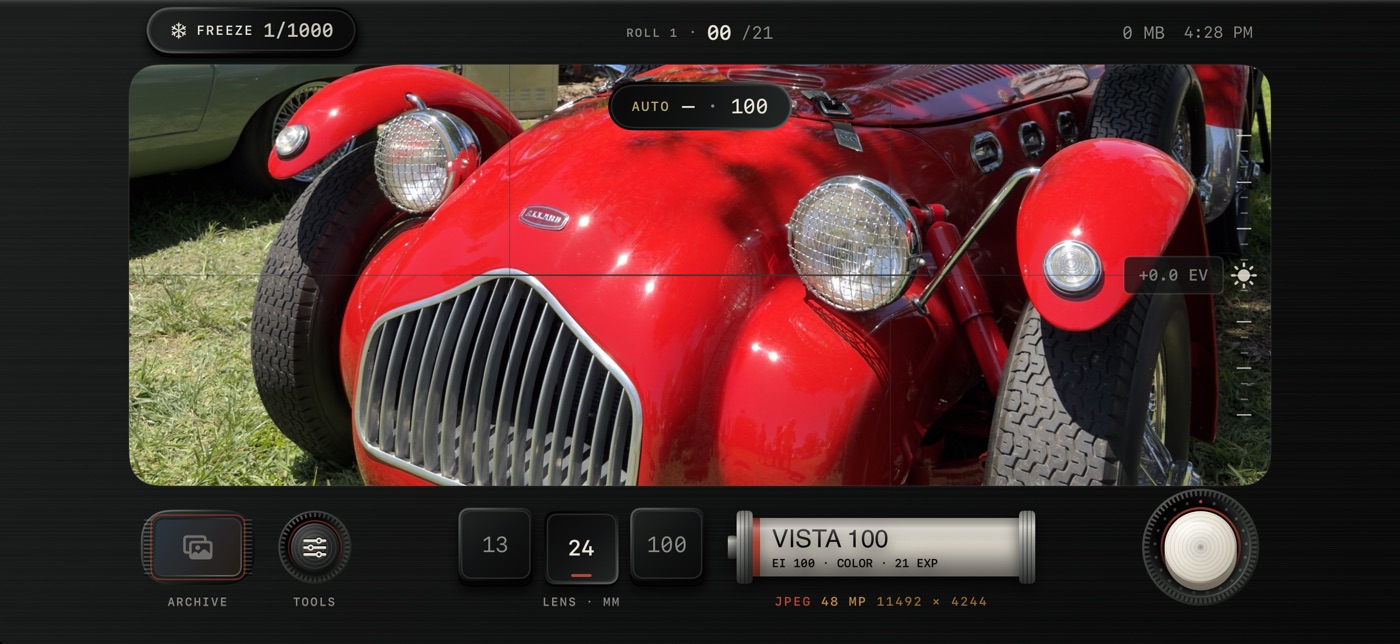
SixtyFive is a pair of panoramic capture apps built around the Duo's poses. Camera adds a hands-free tabletop shutter — stand the phone half-folded and let it shoot — plus a preview on the cover so your subject can see the frame. Motion does the same for panoramic video, with the frame above the fold and a separate control deck below it.
App Store: SixtyFive Camera · SixtyFive Motion
FrameFold
FrameFold turns a video of your work into stop motion, and it uses the cover display to show the film so far while you keep recording. Prop it up, keep your hands on the clay or the paper, and glance at the cover to see the animation build. Support is announced by the developer.
App Store: FrameFold: Stop Motion Camera
Clap — Film Slate

A small one, but a perfect Duo idea: the two halves of the phone are the two sticks of a clapperboard. Close it to clap, and each take is logged. If you shoot short films on your phone, it is the funniest useful app on the device.
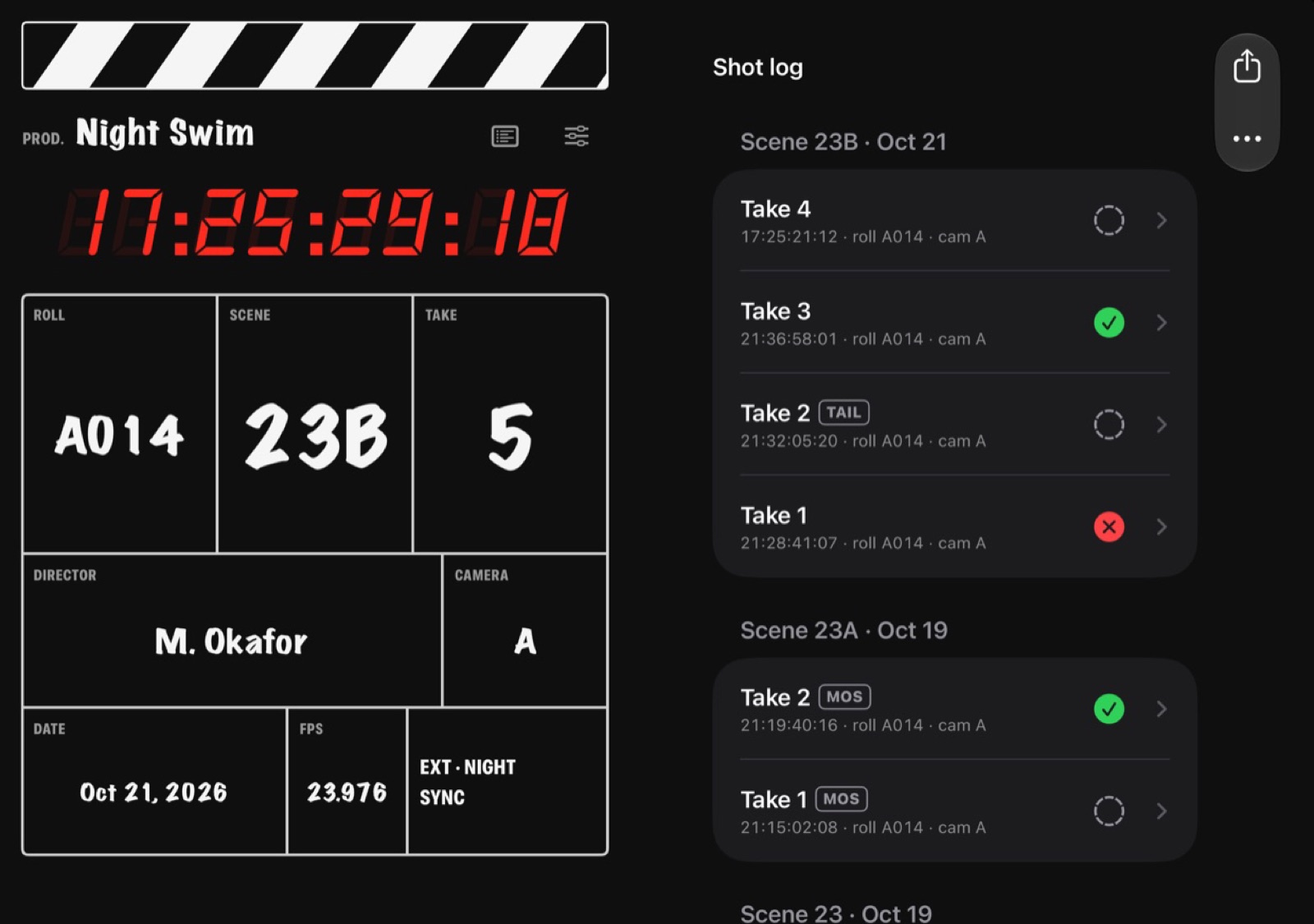
App Store: Clapperboard Film Slate: Clap
Snapshots — Instant Film Camera
Snapshots is an instant-film camera where the photo "prints" as you unfold the Duo. Pico Cam does something similar — a Polaroid-style camera where pictures eject and develop — and works open or closed. Neither is a serious editing tool. Both understand that a phone that changes shape can make taking a picture feel like an event again.
App Store: Snapshots: Instant Film Camera · pico cam
Drawing, painting, and design
Procreate Pocket — coming
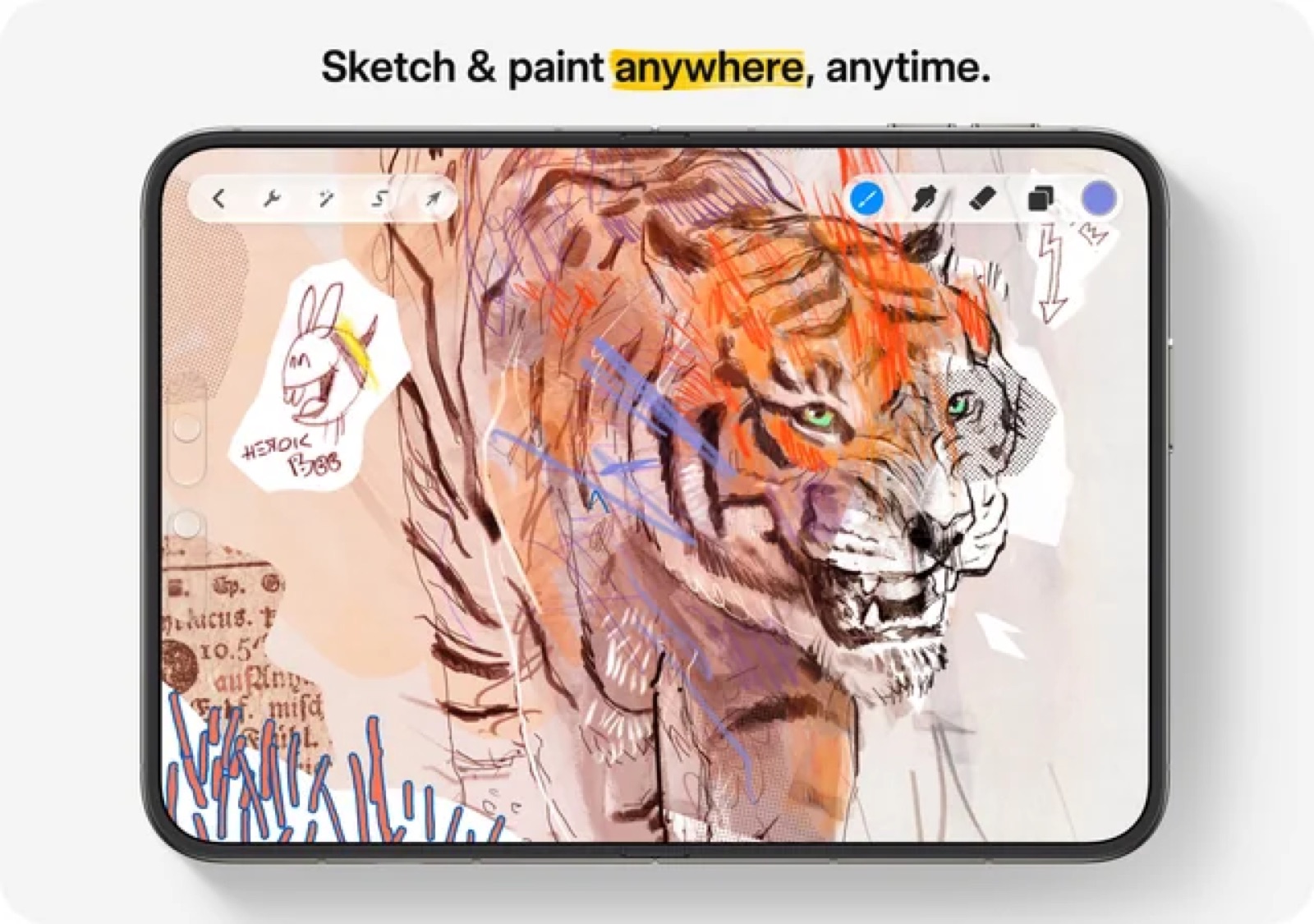
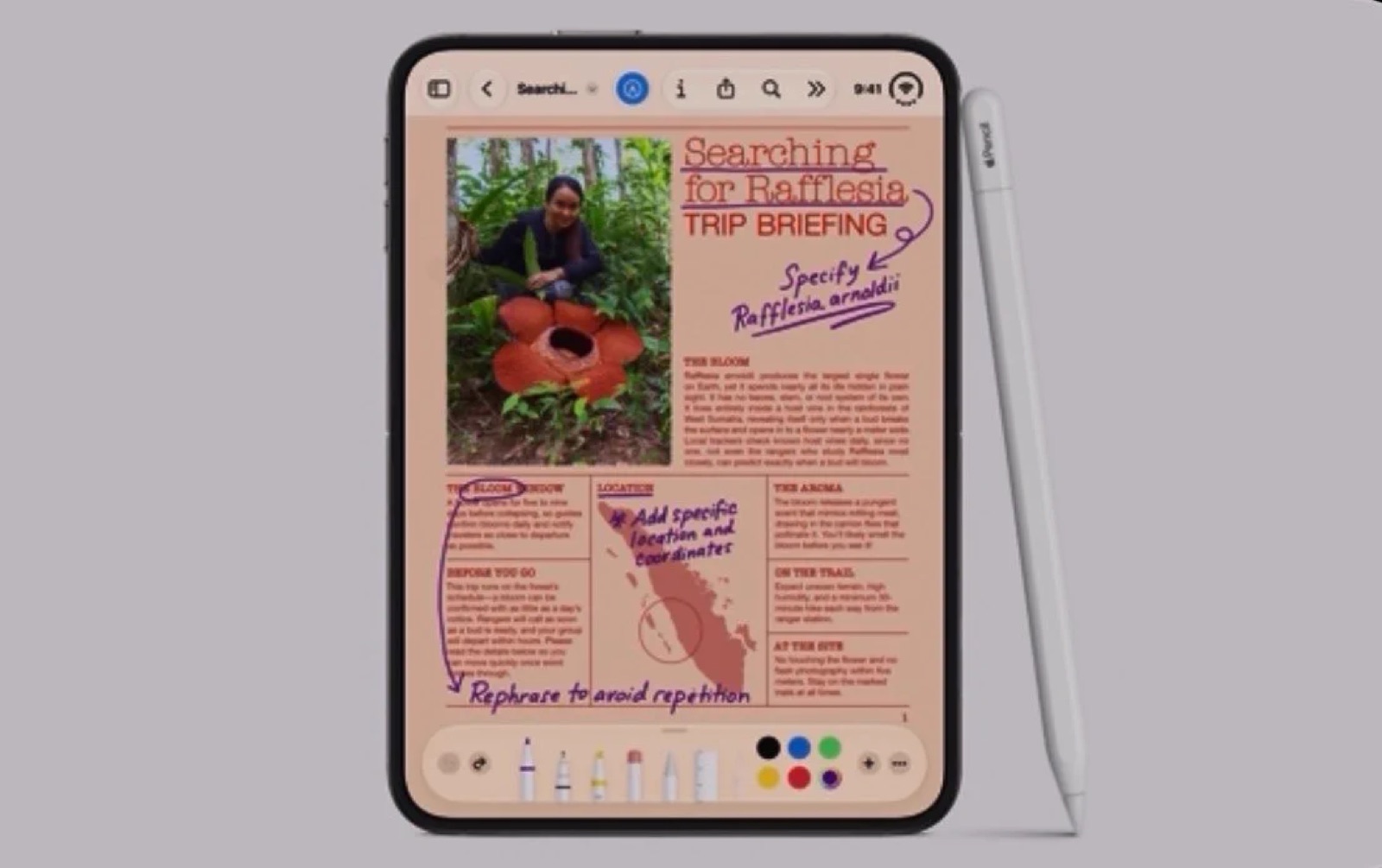
Not ready yet, but the one most artists are waiting for. Savage Interactive has said it plans to support the Duo, which would put a Procreate canvas on a 7.6-inch display. Apple has also said Apple Pencil (USB-C) support for the Duo is coming later this year. When both land, the Duo becomes a genuinely serious pocket sketchbook.
App Store: Procreate Pocket
Trazo — Pocket Sketchbook
Until Procreate arrives, Trazo is the closest thing to a sketchbook that behaves like one. It opens into two connected pages on the Duo — a left page and a right page meeting at the spine — which turns out to be a nicer way to draw than one big rectangle.
App Store: Trazo — Pocket Sketchbook
Paint & Fold, FoldSketch, and InkBlot
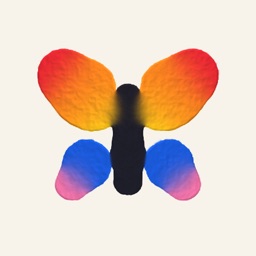
A whole small genre has appeared around one idea: paint on one half, close the phone, and open it to a mirrored print — the way you made butterfly paintings as a kid. Paint & Fold, FoldSketch for Duo, and InkBlot all do a version of it. They are toys, but good ones, and they are the most direct proof that the hinge can be a creative input rather than just a screen joint.
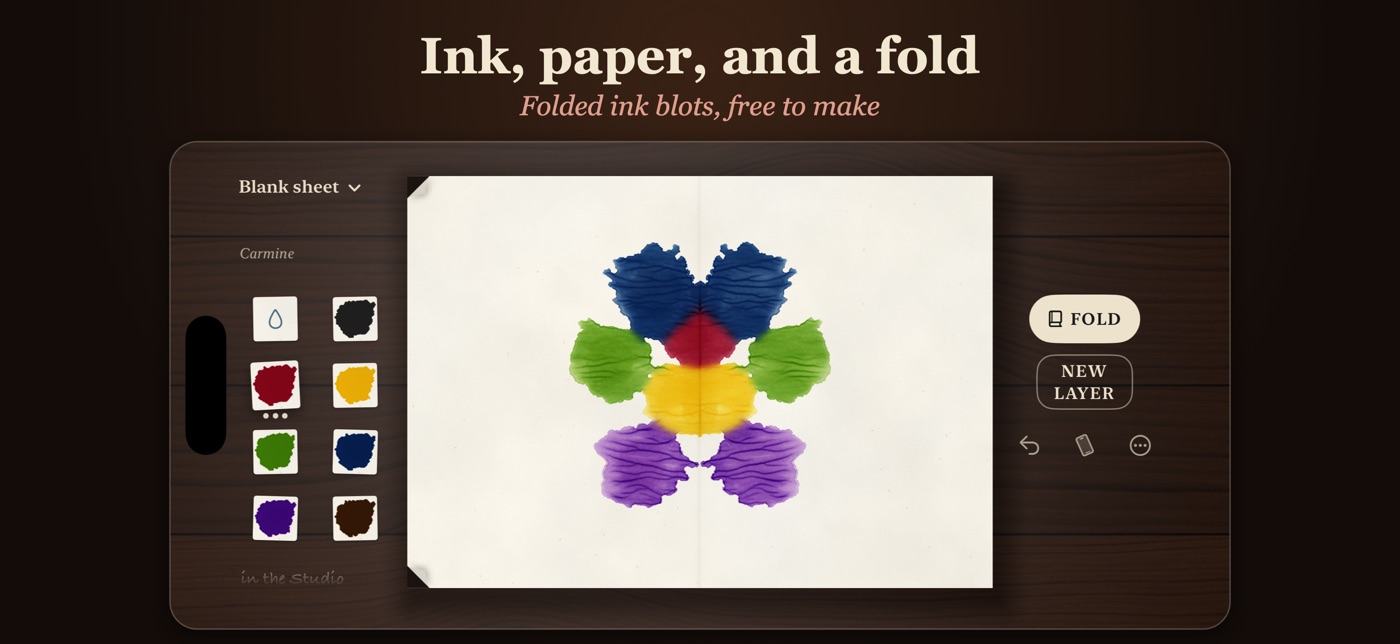
App Store: Paint & Fold · FoldSketch for Duo · InkBlot: Folded Ink Art
RetroPaint

RetroPaint is pixel painting with classic computer color palettes — the limited, slightly wrong palettes of old home computers. It has been updated for the Duo, and a bigger canvas is exactly what pixel art wants.
App Store: RetroPaint
Tiny Computers
Tiny Computers is a museum of ten retro machines, from the Commodore 64 to the iMac G3. Fold the Duo like a laptop and you get a vintage screen up top and a clickable keyboard below, with working operating systems, terminal commands, and — the part that earns it a spot here — the old paint programs, so you can make a MacPaint-era drawing on a phone that folds.
App Store: Tiny Computers
Shapely 3D
Shapely builds 3D models out of simple shapes. The whole editor fits on the cover display, and opening the phone gives the model more room. It is a good fit for quick blockouts, game props, and printable objects.
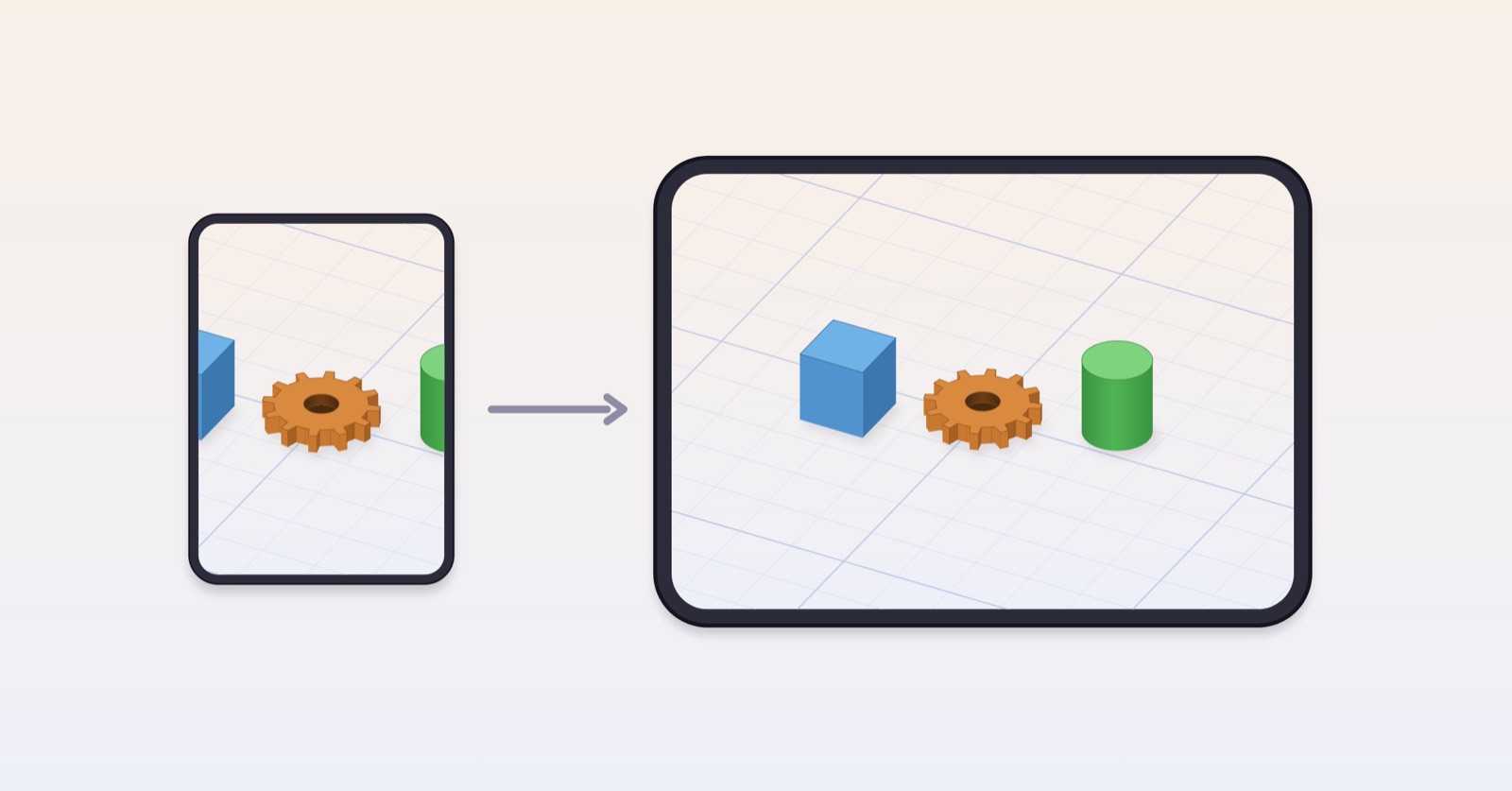
App Store: Shapely 3D
Meshing
Meshing is a mesh-gradient maker: the gradient on one side of the open Duo, the tools on the other. If you make wallpapers, album art backgrounds, or design assets, it is a quick way to get there.
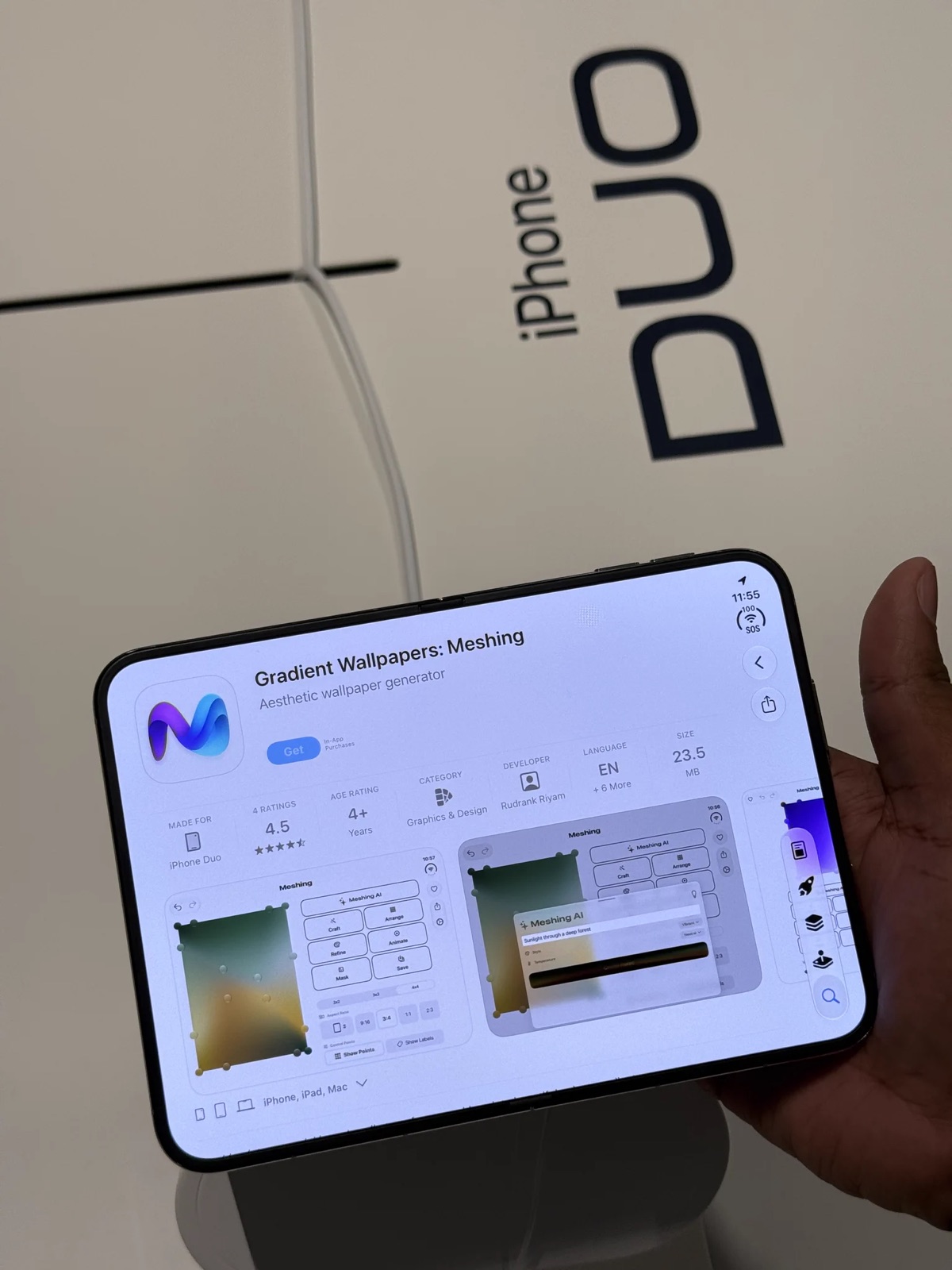
App Store: Gradient Wallpapers: Meshing
Music and sound
edjing Mix
edjing Mix was one of Apple's launch partners, and DJ apps are a natural fit for the format. Open the Duo and you get two full decks, with the library and mixer laid out across the fold, plus a tent mode for propping the phone up. It also includes one-tap stem separation.
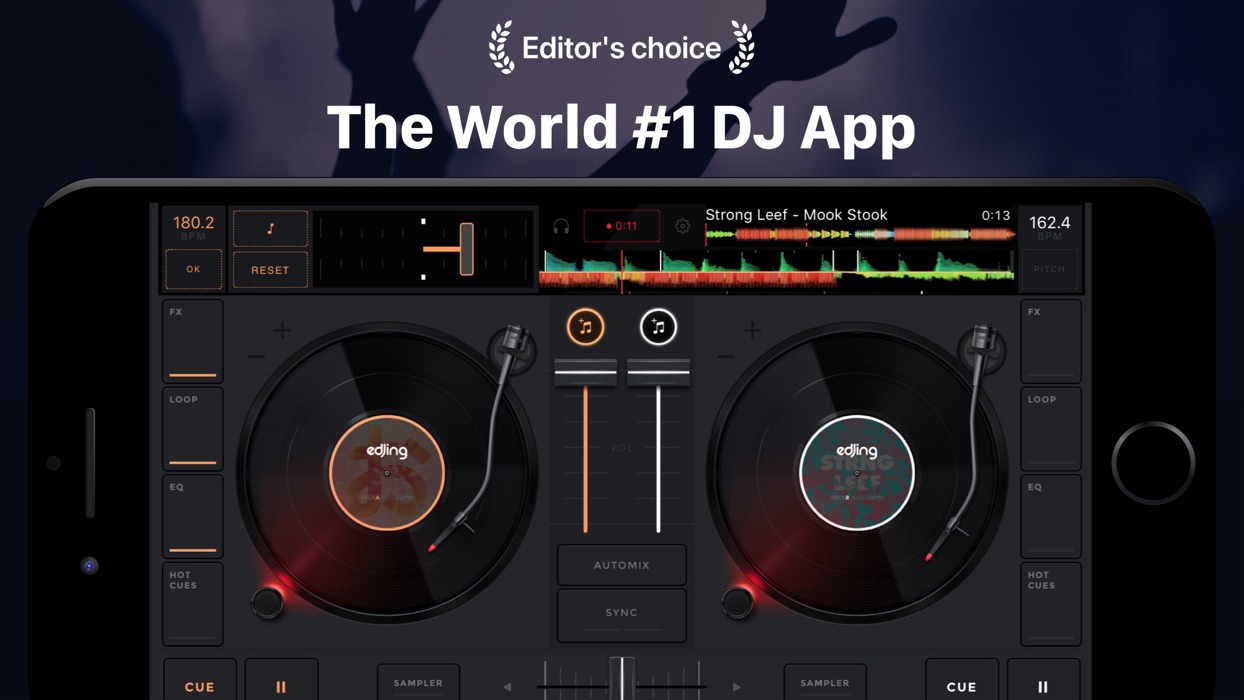
App Store: edjing Mix
Moises

Moises is a practice tool built on stem separation: load a song and it pulls the vocals, drums, bass, guitar, and other parts apart so you can mute, solo, slow down, or transpose them. It uses machine learning to do the separating, but what comes out is the original recording, taken apart — it isn't writing anything for you. Apple named it as a launch partner, and on the Duo the mixer sits beside the lyrics and chords, so you can turn the bass down and still follow along.
For learning a part by ear, it is one of the most useful music apps on the phone, and the open Duo is the most comfortable way to use it yet.
App Store: Moises: The Musician's App
Octal — Pocket Synth
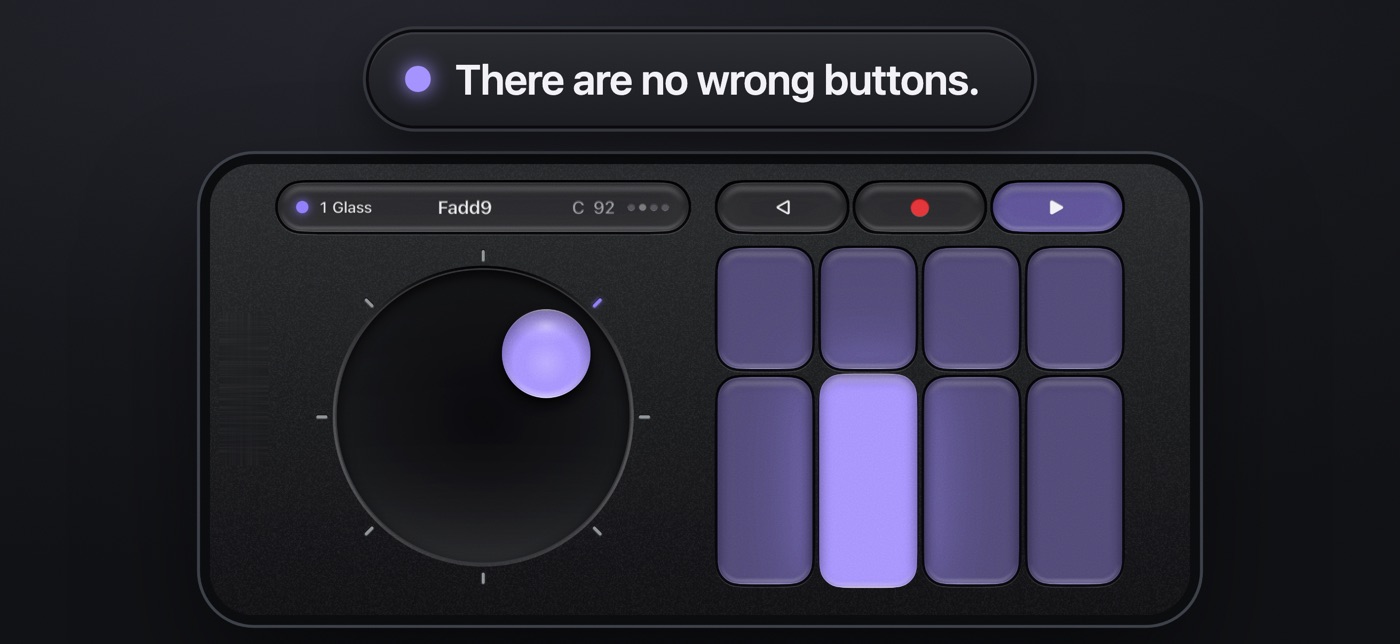
Octal is a pocket synth with eight chord keys on the cover display and a loop station beside them when you open it. Closed, it is a chord instrument you can play one-handed. Open, it becomes a small looping workstation. That is a good use of two screens.
App Store: Octal: Pocket Synth
Chiptune
Chiptune is an NES-style step sequencer: the grid on one side of the fold, the keys on the other. It is simple, it sounds like an 8-bit cartridge, and the split layout makes sequencing on a phone feel less cramped than almost any other step sequencer on iOS.
Website: Chiptune
KQ Sampei 26
A sampler synthesizer that lists iPhone Duo support in its release notes. More room for waveforms and parameters is exactly what a sampler needs on a phone.
App Store: KQ Sampei 26
DuoBox, Bellowsby, and Foldeon
Three apps had the same idea at the same time: the Duo is shaped like an accordion, so make it one. DuoBox and Foldeon play by opening and closing the phone like bellows. Bellowsby has you squeeze the hinge with a keyboard on the cover. They are novelty instruments, but the physical gesture is real, and that is more than most music apps can say.
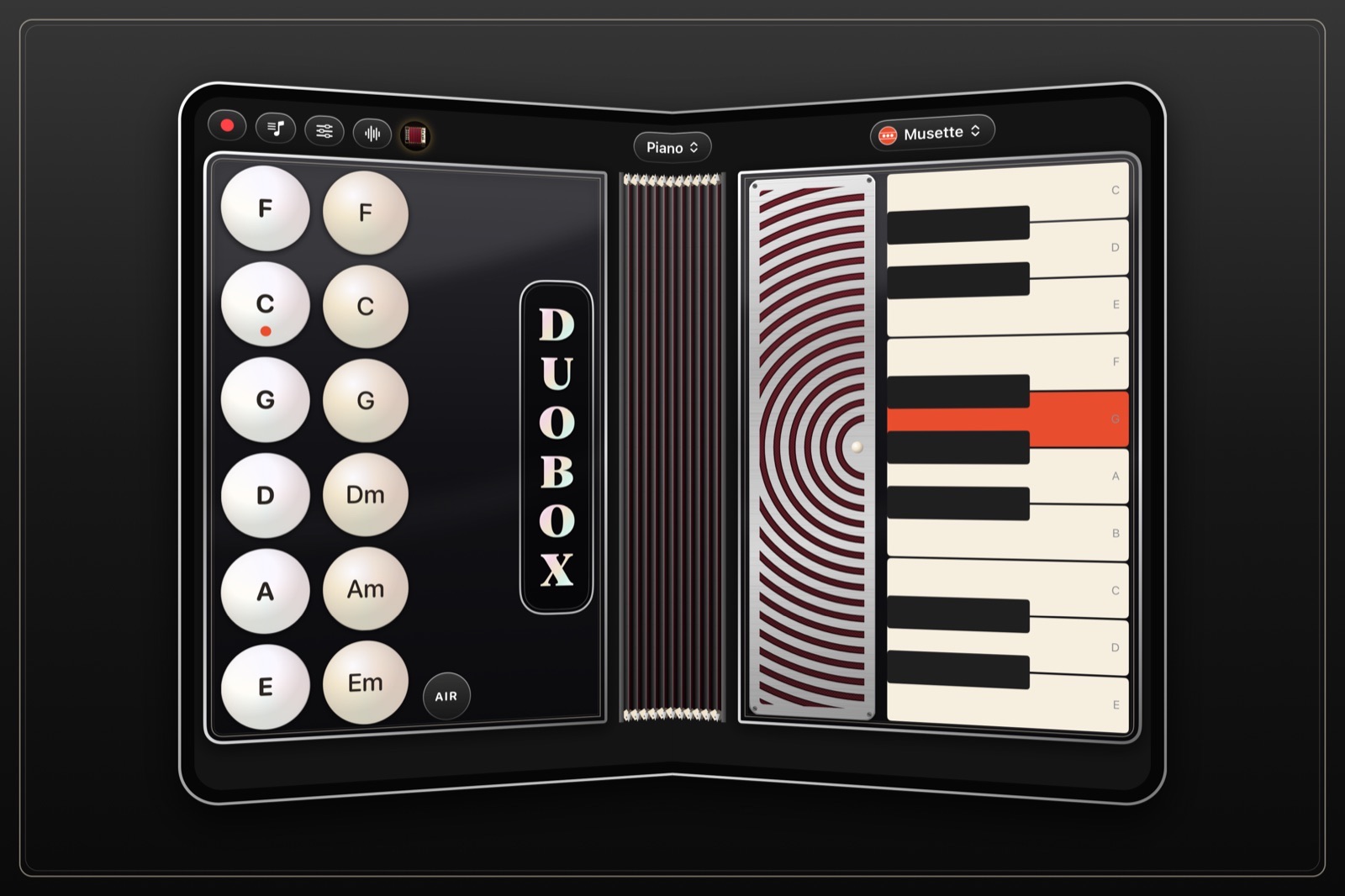
App Store: DuoBox · Bellowsby · Foldeon
PianoFold
PianoFold is a rhythm game, not an instrument, but it earns a place for how it uses the hinge. Fold the Duo to 90 degrees and the notes fall down the upright half toward the crease, where you tap the matching column on the half lying flat. Forty levels across eight chapters, the first two free, no ads and no subscription.
App Store: PianoFold
Fine Tuna & Metronome ∞

Two practice tools that use the half-fold well. Fine Tuna is a precision tuner with the tuner above the fold and a keyboard below. Metronome ∞ puts the beat display on one half and the controls on the other. Set the phone on a music stand half-folded and both become small, dedicated devices.
App Store: Fine Tuna · Metronome ∞
Most apps aren't on the Duo yet
Plenty of the best creative apps on iOS — including a lot of the ones we use every day — still open in a letterboxed window on the inner display. Most of the iOS music staples, the hosts, DAWs, and samplers people build their setups around, have not shipped Duo layouts yet. That is not unusual this early, and a lot of them are maintained by one or two people. Until they update, Split View helps: run a host on one half and an instrument or recorder on the other.
That will change as developers ship updates, and we'll keep adding to this list as they do.
Bottom line
The best creative apps on the Duo so far are not the ones that simply use the bigger screen. They are the ones that use the shape: a camcorder that turns on when you open it, a sketchbook with a spine, a clapperboard you snap shut, an accordion you squeeze.
The big editors will catch up — Edits and VLLO already have, and Procreate is on its way. In the meantime, the small developers are the ones showing what a folding phone is actually for.