Studio Notes
The Best iOS Music Apps for Sound Design, Sampling, and Ambient Music
2026-07-02
A hands-on guide to the best iOS music apps for sound design, sampling, granular synthesis, ambient music, and mobile production — from Outsidify and Animoog Z to Koala, Borderlands, Drambo, and Loopy Pro.
Updated August 29, 2026 — added Brian Eno and Peter Chilvers' generative apps, Steve Roach's Immersion IV, and Speldosa.
For a long time, the least interesting way to talk about iOS music apps was to ask whether an iPhone or iPad could replace a laptop.
That question always felt a little backwards. The best iOS music apps are not just smaller versions of desktop software. They are interesting because they use the phone or tablet as its own kind of instrument: something with a microphone, a touchscreen, a speaker, motion sensors, portability, and a very different relationship to attention.
A laptop usually asks you to sit down and work. A phone can catch an idea while you are walking. An iPad can turn a waveform into something you touch instead of edit. Some apps turn the world around you into source material. Others turn loops, grains, field recordings, or gestures into music before you have had time to overthink it.
This list is focused on iOS music apps that feel native to the device. Some are deep production environments. Some are strange instruments. Some are simple tools for making texture, rhythm, loops, or noise. The common thread is that they take advantage of what a phone or tablet can do instead of pretending to be a desktop studio.
Animoog Z — Moog
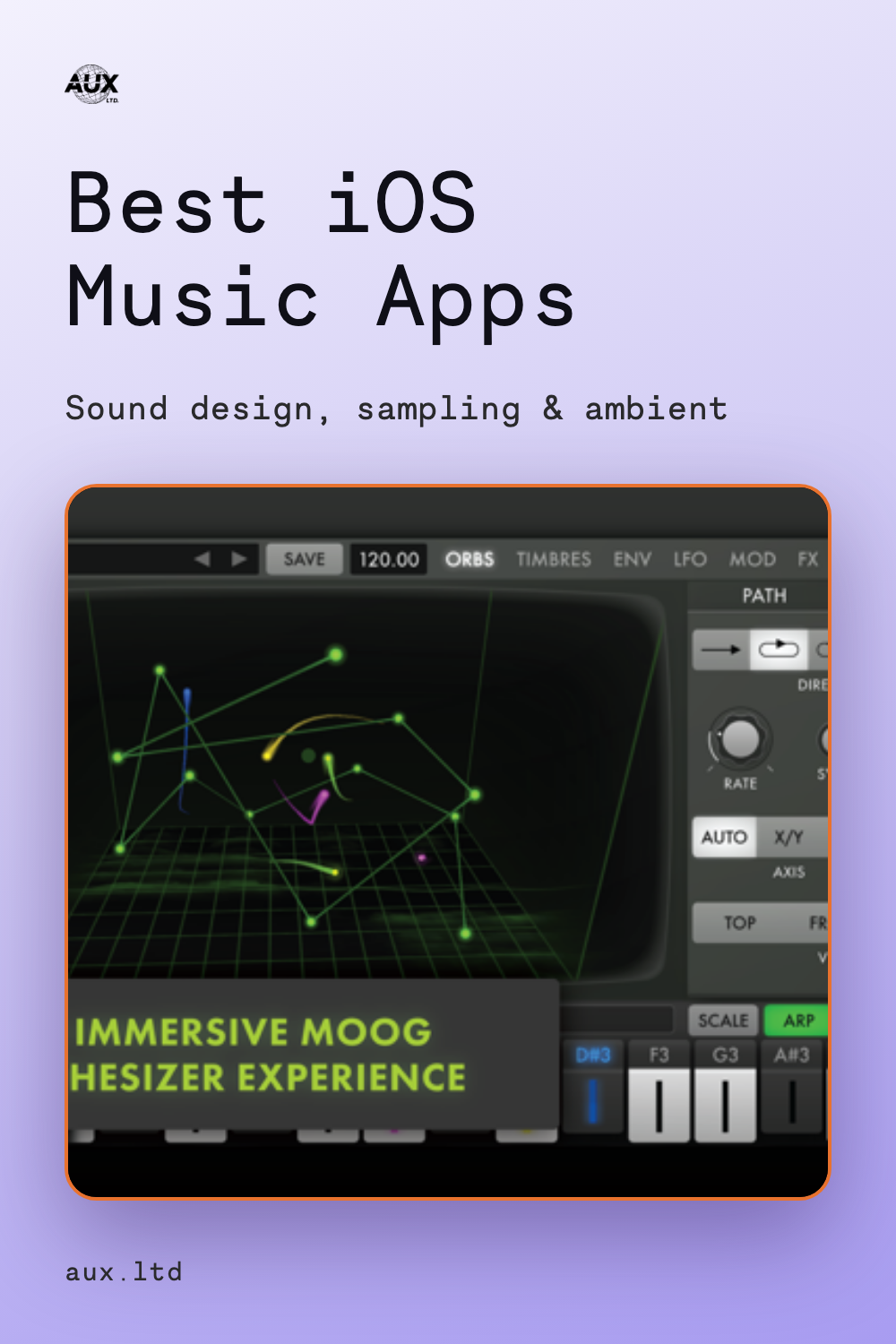
Animoog Z is Moog's modern iOS synth built around multidimensional sound design and performance. It is a 16-voice polyphonic synthesizer, but the reason it stands out is not just the Moog name. It is the way the instrument feels designed for touch, movement, and visual interaction.
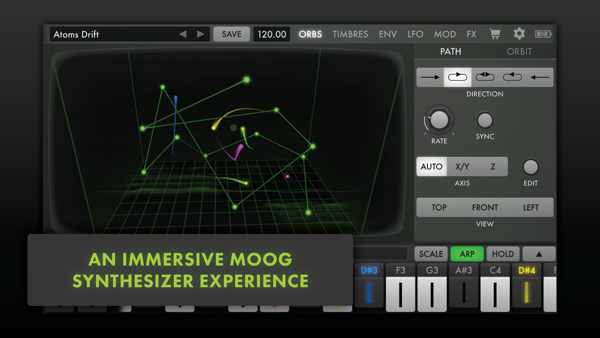
A lot of synth apps reproduce hardware panels: knobs, patch cables, keyboards, tiny labels. Animoog Z has some of that, but its identity comes from the performance surface. You are navigating sound spatially, not just dialing in a patch. That makes it a good example of a legacy synth company understanding that iOS can be more than a screen full of virtual knobs.
App Store: Animoog Z Synthesizer
Korg Gadget 3
Korg Gadget 3 is the most "complete studio" app on this list, but it still has its own personality. Instead of giving you one giant blank production environment, Gadget is organized around a collection of compact instruments and machines. Each gadget has a purpose, and the workflow encourages you to build tracks by connecting small, focused tools.
The latest iOS version supports AUv3, which means Gadget instruments can also be used in other compatible host apps. That makes it more flexible than it used to be, especially for people who like Korg's sound library but want to work inside a broader iOS setup.
Gadget is not the weirdest app here, but it is one of the strongest examples of iOS as a self-contained production environment. It is polished, fast, and friendly to people who want a lot of sound sources without building every patch from scratch.
App Store: Korg Gadget 3
Drones — Ambient Noise Mixer
Drones is an ambient noise mixer built around the idea that making a soundscape should feel immediate. Instead of starting with a blank timeline, you begin with artist-made loops, noise sources, field recordings, guitars, synths, and textures, then mix, slow, and re-pitch them into something more personal.
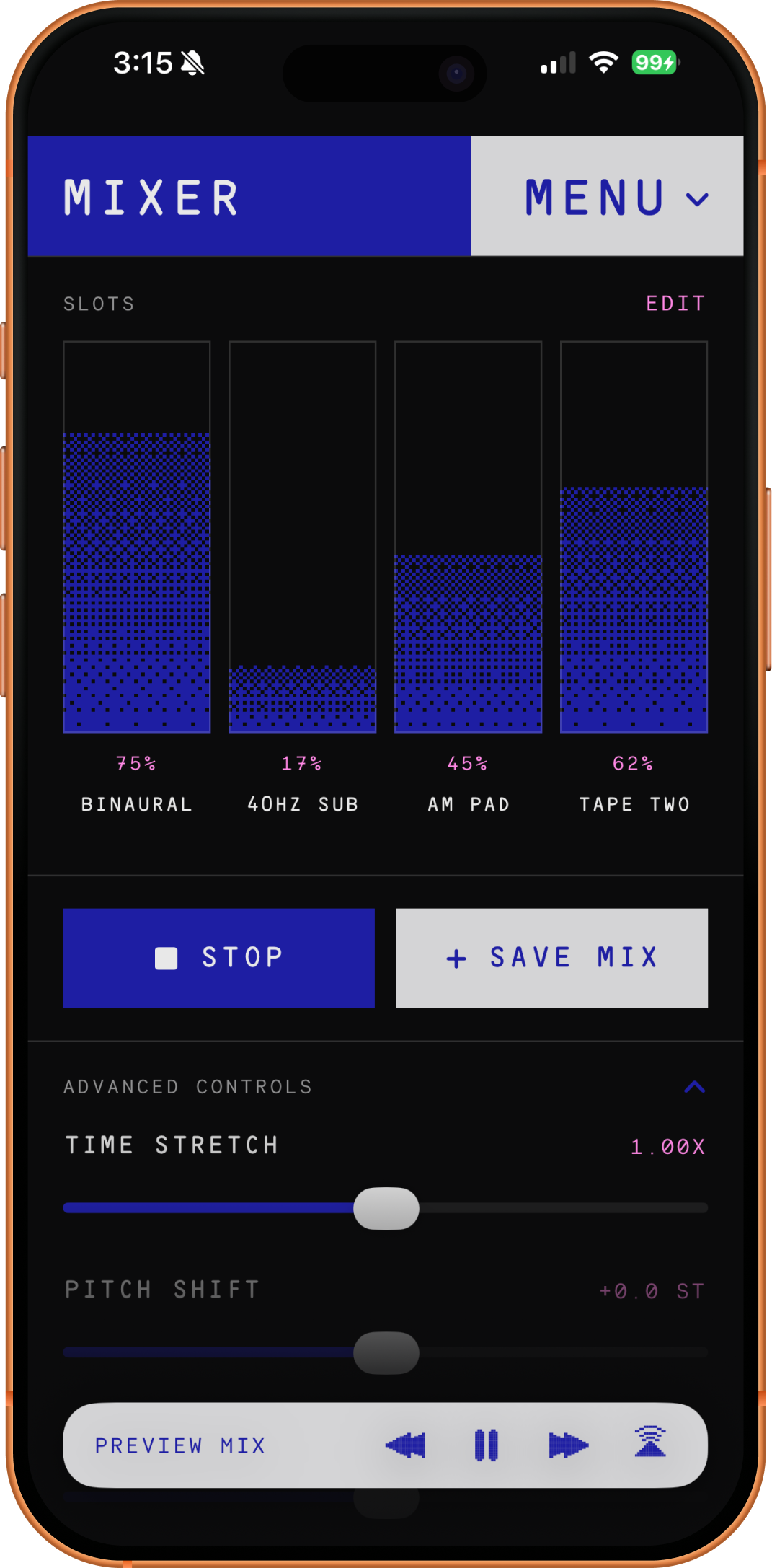
What makes it interesting on iOS is the focus. It is not trying to be a full studio. It is closer to a small sound object: open it, combine a few sources, shift the pitch or speed, and find a tone that fits the moment. That makes it useful for ambient music, focus sessions, sleep, reading, or just sketching the emotional shape of a drone before bringing the idea somewhere else.
The app includes artist-made ambient loops, custom noise mixing, speed and pitch controls, and a pay-once model rather than a subscription. That last part matters because a lot of ambient and utility audio apps have moved toward endless recurring fees. Drones feels more like buying a small instrument and keeping it.
App Store: Drones — Ambient Noise Mixer
Bloom, Reflection & Trope — Brian Eno and Peter Chilvers
Bloom is one of the original generative music apps, and it still explains the idea better than almost anything that came after it. You tap the screen, each tap sounds a note and leaves a slowly expanding colored bloom, and the notes repeat and layer into a pattern that keeps evolving on its own. It is part instrument, part composition, part screensaver. Left alone, it will keep playing and changing indefinitely.
The rest of the family extends that same idea in different directions. Trope is the darker sibling: the same tap-to-create gesture, but tuned toward brooding, textural drones instead of gentle bell tones. Bloom: 10 Worlds is the tenth-anniversary expansion, adding ten distinct "worlds," each with its own palette, tuning, and mood. Brian Eno: Reflection is a generative version of Eno's 2017 album — an endless, slowly shifting ambient piece that responds to the time of day and never repeats.
What makes them belong on an iOS list is that they treat the device as a generative music box rather than a studio. You are not editing a sequence; you are starting a system and listening to where it goes. That is a very phone-and-tablet idea: leave it running on a table, glance at it, let it fill a room.
App Store: Bloom · Bloom: 10 Worlds · Trope · Brian Eno : Reflection
Korg iKaossilator
iKaossilator is older than many apps on this list, but it remains one of the best examples of a touch-first music interface. It uses the X-Y performance concept from Korg's Kaoss line: horizontal movement controls pitch, vertical movement controls sound parameters, and melodies can be created by stroking, tapping, or rubbing the screen.
The important thing is that it does not begin with a piano roll or a grid. It begins with a glowing performance surface. That makes it easy to dismiss as a toy, but that is also part of its value. It lets people make phrases and loops through gesture before theory gets involved.
For iOS music, that is a recurring theme: the screen becomes interesting when it stops imitating older interfaces.
App Store: Korg iKaossilator
Speldosa — Klevgrand and Wintergatan
Speldosa (Swedish for "music box") is a collaboration between the plugin makers Klevgrand and Martin Molin of Wintergatan, the band behind the Marble Machine. Molin created the sound by sampling a real music box using an acoustic guitar as a resonance chamber, and that specific timbre became a signature of his music. The app turns those recordings into a playable instrument with four characters — Modern, Vintage, Antique, and Eternal (a reversed model) — plus room ambiences, reverb, and optional vibrato.
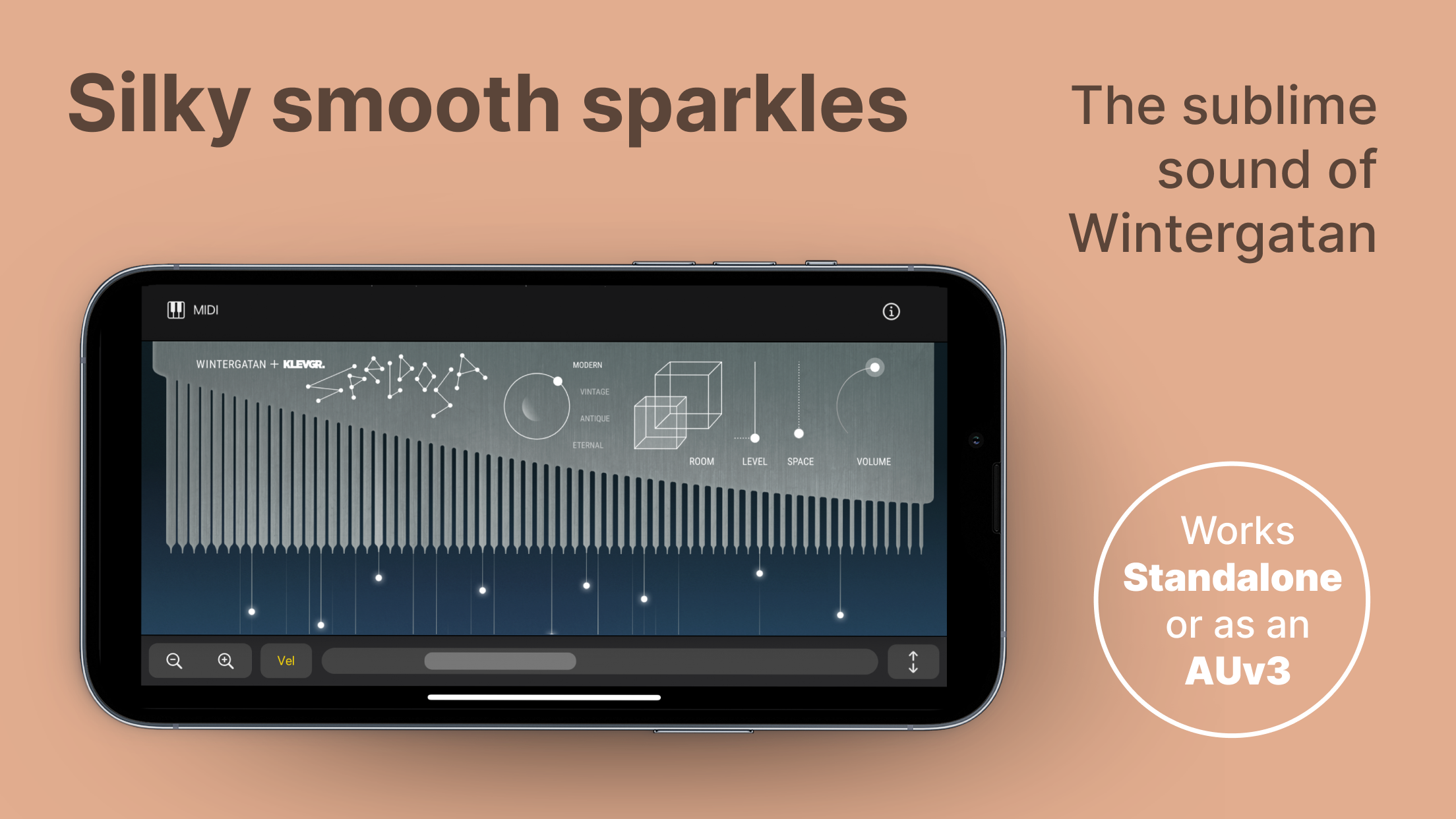
What makes it worth including is how much the sound does on its own. It sits just above the novelty of a toy and lands as a real instrument, the kind where the tone itself suggests melodies before you have decided to write one. It works as a standalone app and as an AUv3 plugin, so it drops easily into a larger iOS setup.
Speldosa is not a deep synth or a production environment, and it does not try to be. It is a single beautiful sound, carefully captured, and that focus is exactly the point.
App Store: Speldosa
Samplr
Samplr is one of the classic iPad music apps because it treats a sample as something physical. Instead of only chopping audio into pads or arranging clips on a timeline, Samplr lets you touch the waveform directly and explore it through different play modes.
That is the whole point. Samplr is not just a sampler. It is a way of playing recorded sound. A voice memo, field recording, guitar note, synth chord, or piece of noise can become a tactile instrument.
For anyone interested in sampling as performance rather than just editing, Samplr still feels essential.
App Store: Samplr
Borderlands Granular
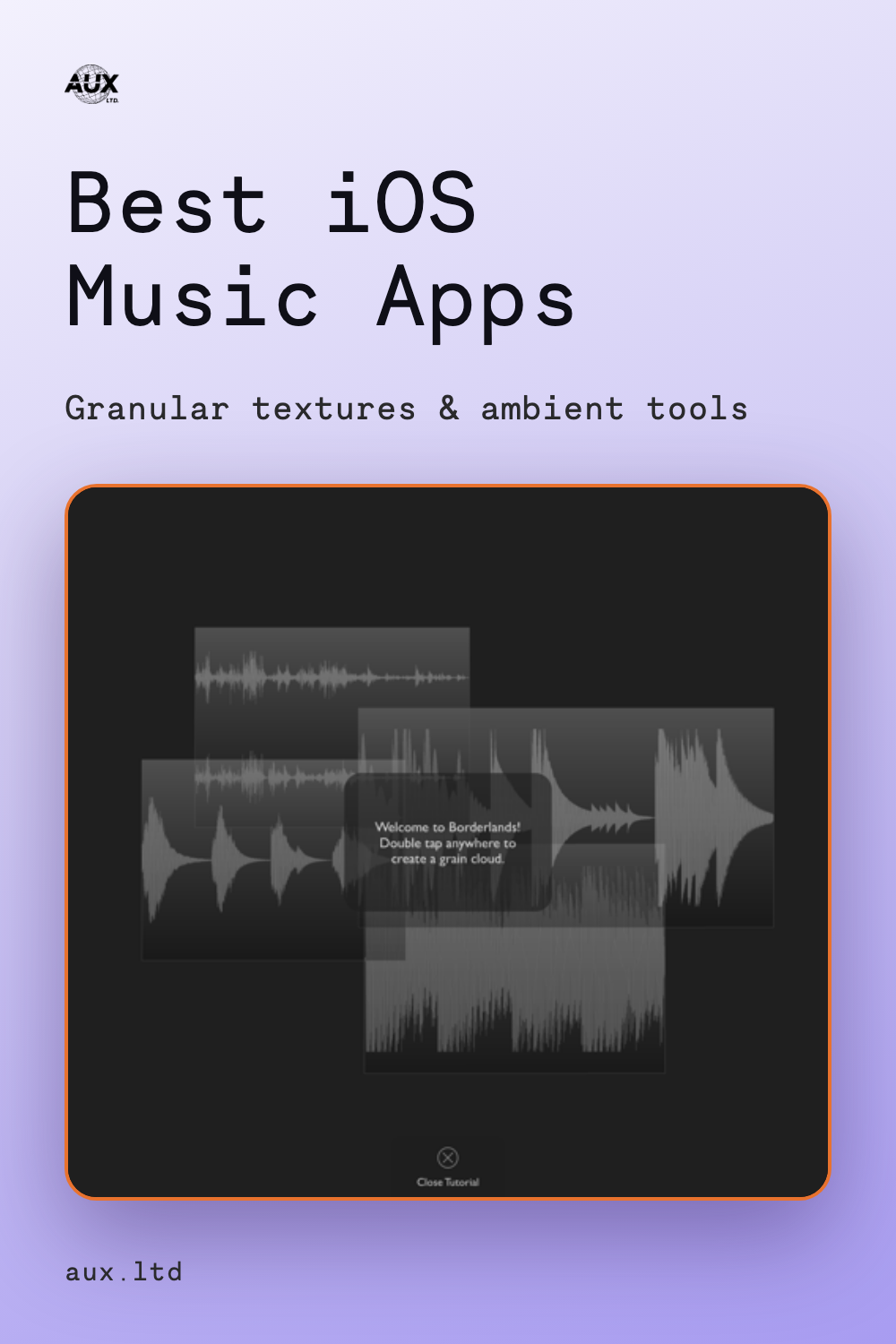
Borderlands Granular is one of the most important iPad sound-design apps because it makes granular synthesis feel visual and spatial. Granular synthesis can be intimidating when it is presented as dense parameters: grain size, density, spray, position, windowing, pitch, and so on. Borderlands turns that into an environment you can touch.
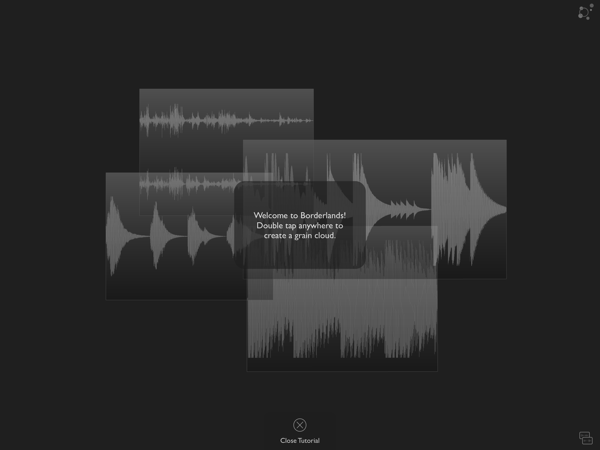
The app lets you explore and transform sound using grains, creating complex and evolving textures. The interface makes the sound feel like a landscape. You move through it, place grain clouds, and discover details inside the source material.
For ambient music, drones, experimental composition, and sound design, Borderlands remains one of the most convincing arguments that iPad can be its own instrument.
App Store: Borderlands Granular
Steve Roach — Immersion IV
Immersion IV is less an app you play and more a sound world you sit inside. Built by software artist Eric Freeman in close collaboration with the ambient pioneer Steve Roach, it hands you five loops of varying lengths drawn from the heart of Roach's soundworlds and lets you mix, pan, and recombine them into constantly changing ambient music. There is no timeline and no arrangement — just an organic interface for finding a balance and letting it evolve.
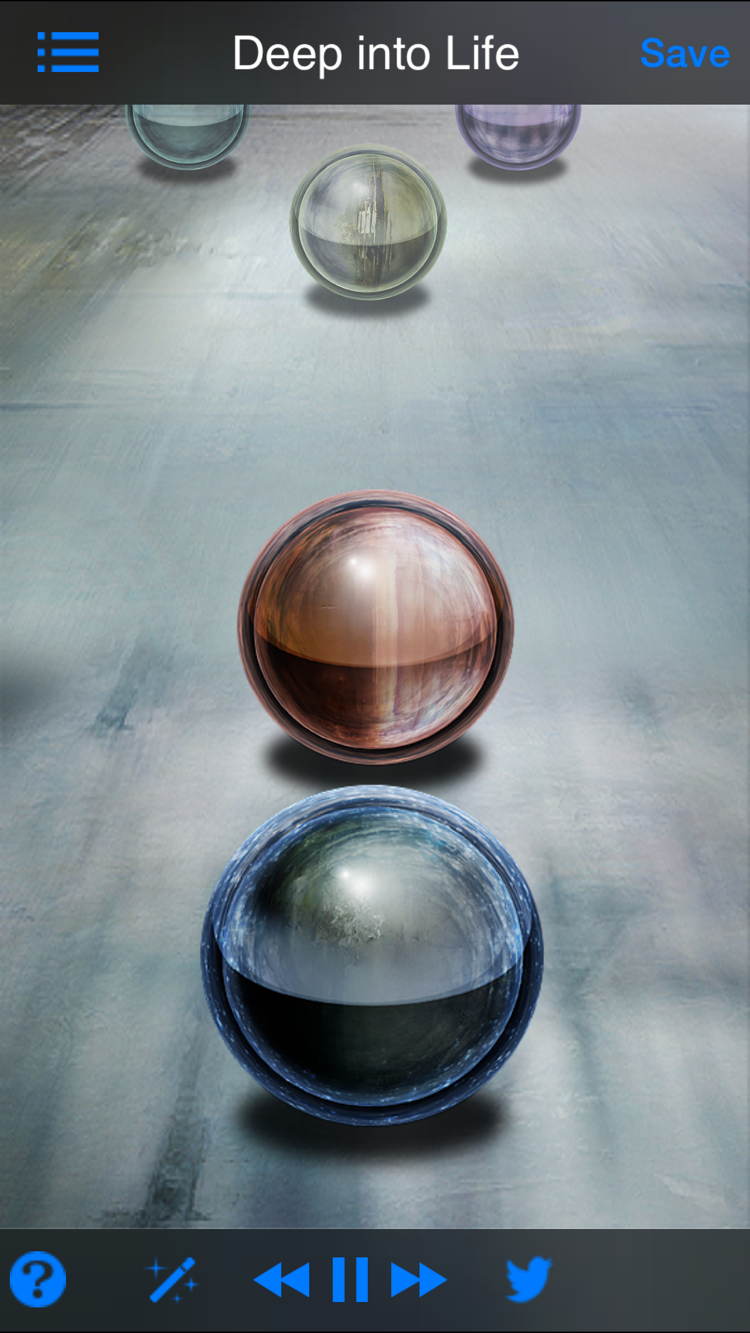
The part that fits this list is the framing. You are not composing from scratch; you are sculpting within one artist's material, which is a very different and surprisingly satisfying way to make sound. An "evolve" function nudges mixes into new combinations, you can save your own, and it keeps playing in the background, so it works as a meditation, sleep, or focus tool as much as an instrument.
It is the ambient equivalent of the generative apps above: start something, let it drift, and return when the room needs a different color.
App Store: Steve Roach Immersion IV
Fluss — Bram Bos and Hainbach
Fluss is a granular playground designed by Bram Bos and Hainbach. It is built around hands-on exploration, with a playful touch interface that invites performance, experimentation, and learning the granular concept by interacting with sound directly.
Compared with Borderlands, Fluss feels more kinetic and immediate. The interface encourages motion. It is an app for pushing sound around, not just designing a patch and pressing play. The fact that it comes from Bram Bos and Hainbach also gives it a clear identity: it sits somewhere between experimental instrument, tape-music mindset, and modern iOS performance tool.
It is especially good for people who want granular synthesis to feel expressive instead of academic.
App Store: Fluss — Granular Playground
Gauss Field Looper

Gauss Field Looper, also from Bram Bos and Hainbach, brings tape-loop thinking to iOS. It works as both a standalone app and an Audio Unit effect, with controls for tape speed and direction that can be adjusted even while recording.
The appeal is not pristine looping. It is instability. Gauss is about drift, speed changes, direction changes, overdubbed layers, and the feeling of tape as a living medium. It is a strong fit for field recordings, ambient sketches, lo-fi loops, and slow sound design.
On a phone, that becomes especially powerful. Record something around you, loop it, slow it down, reverse it, and suddenly the device is not just capturing the environment. It is transforming it.
App Store: Gauss Field Looper
Outsidify — Bastl Instruments
Outsidify is one of the clearest examples of an app that makes sense because it is on a phone. It uses the microphone and speaker to explore sound outside the device: feedback, resonances, objects, rooms, pipes, cups, and accidental acoustic spaces.
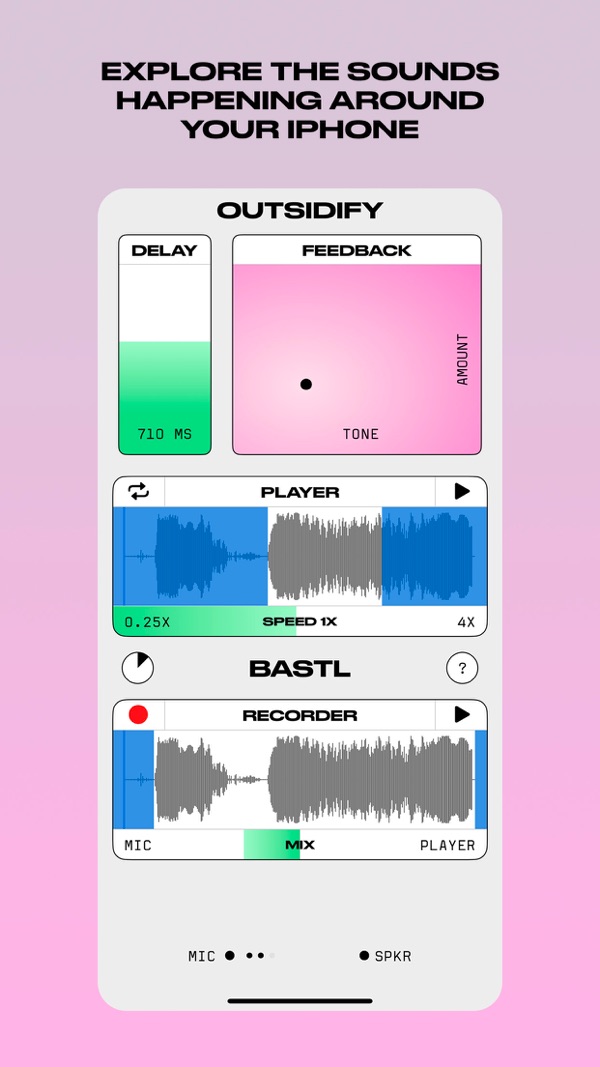
Bastl describes the app as a way to play with the sounds outside your phone, and that is exactly the appeal. You are not loading presets or scrolling through sample packs. You are using the physical world as an unstable instrument. The phone becomes a microphone, speaker, recorder, resonator, and little feedback machine.
It belongs in any serious list of iOS music apps because it pushes the device away from the idea of a miniature studio and toward something closer to sound art.
Unfortunately, it seems development has ended on this app — it has not been updated since 2023. It still runs and remains worth trying for what it does, but do not expect it to grow beyond its current form.
App Store: Outsidify
Koala Sampler
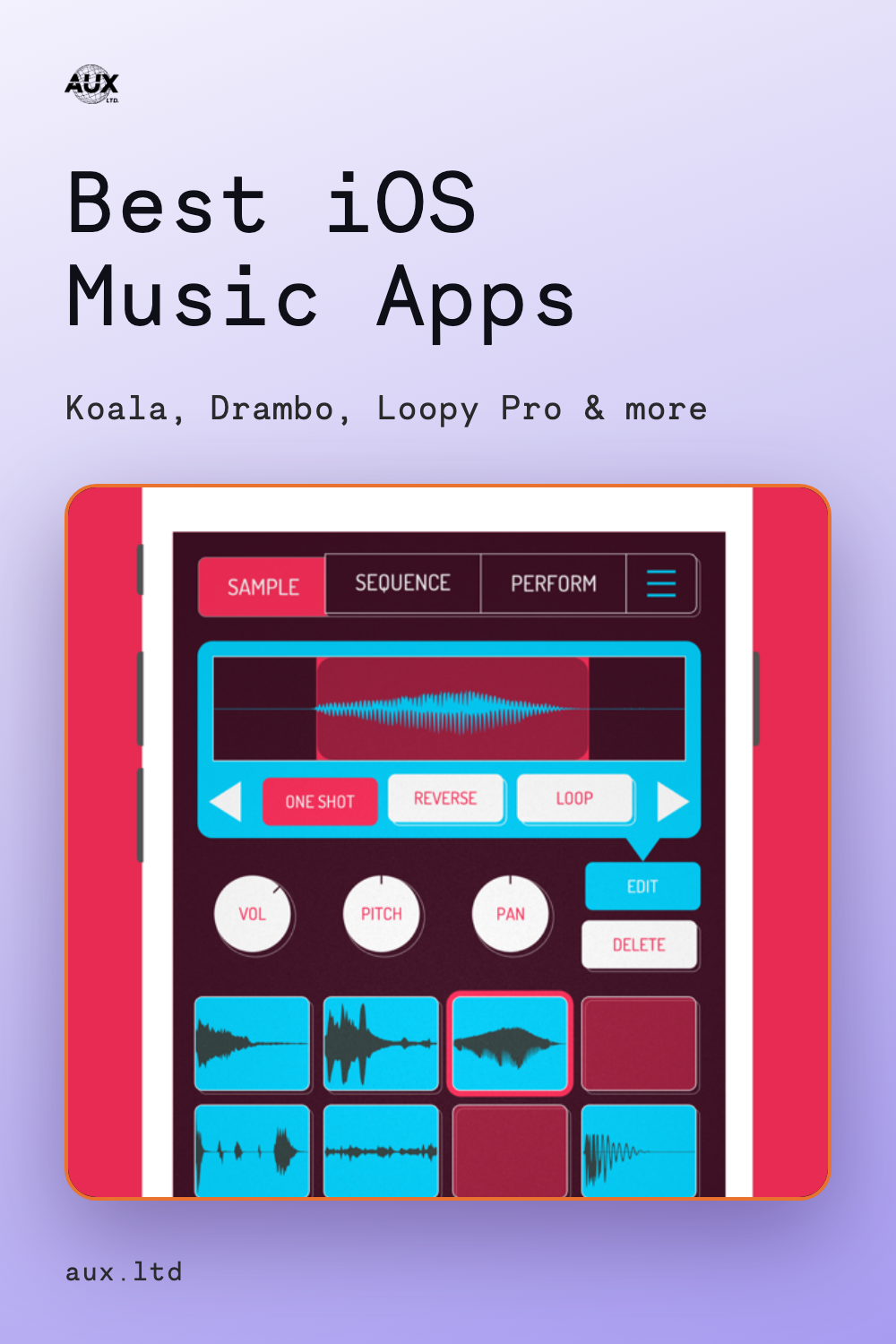
Koala is probably the most immediately fun sampler on iOS. It lets you record through the phone's microphone, load sounds, make beats, add effects, and resample the app's own output back into itself.
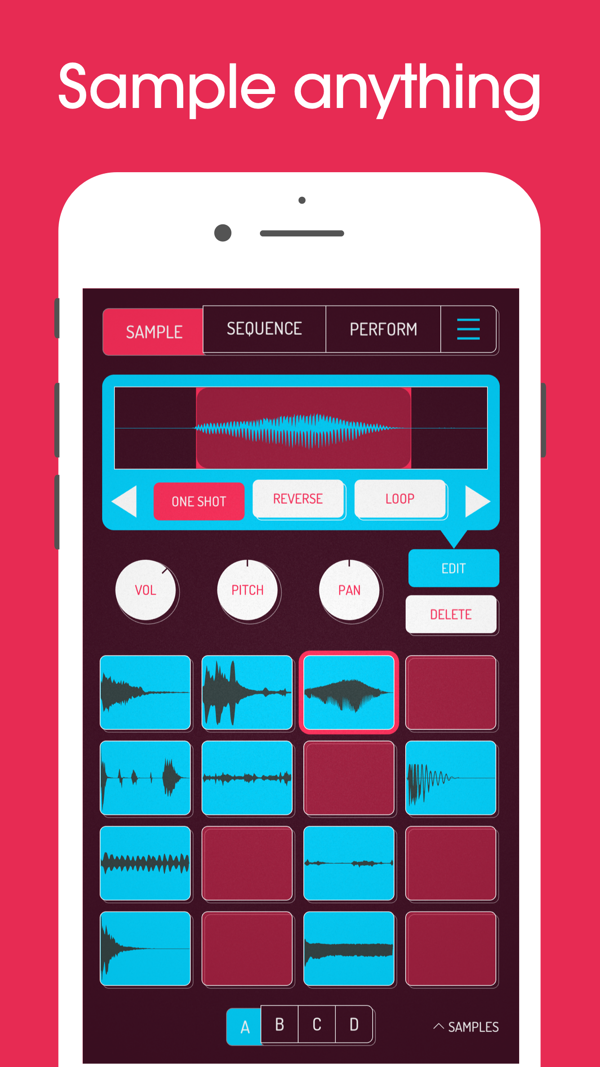
The reason Koala works so well is speed. Sampling can get complicated quickly: file systems, slicing modes, pad assignments, effects chains, export settings. Koala keeps the first step simple. Record something. Tap it. Sequence it. Resample it. Keep moving.
That does not mean it is shallow. Koala's depth comes from how fast it lets you repeat the sampling process. It turns the phone into a sketchpad for beats, textures, loops, and small accidents that can become the center of a track.
App Store: Koala Sampler — Beat Maker
AUM
AUM is not the flashiest app on the list, but it may be one of the most important. It is a flexible mixer, recorder, and connection hub for iPad and iPhone. It can connect hardware inputs and outputs, Audio Unit extensions, Inter-App Audio apps, soundfile players, buses, sends, and multichannel audio interfaces.
In practice, AUM is what lets the iOS music ecosystem feel modular. One app can be a synth, another can be an effect, another can be a recorder, another can generate MIDI, and AUM can sit in the middle routing audio and control signals between them.
A lot of iOS music is not about finding one app that does everything. It is about building a small system out of focused apps. AUM is the patchbay that makes that possible.
App Store: AUM — Audio Mixer
Drambo
Drambo is a modular groovebox and audio-processing environment. It can be used to build synthesizers, sample-based instruments, and audio effects from modular components, with a sequencer at the center.
The interesting thing about Drambo is that it offers depth without simply copying Eurorack or a desktop modular environment. It feels like a groovebox first: patterns, sequencing, modules, sound design, and performance all folded into one system.
For some people, Drambo may be the entire studio. For others, it is a deep modular instrument inside a larger iOS setup. Either way, it shows how serious iOS music tools have become. This is not a novelty app. It is a full environment for people who like building their own machines.
App Store: Drambo
Patterning 3
Patterning 3 is a drum machine built around a circular interface rather than the usual horizontal step grid. It is designed for beat-making, rhythmic exploration, polymetric patterns, parameter modulation, and AUv3 workflows.
That circular interface is more than a visual gimmick. It changes how rhythm feels. You see loops as cycles. You can build patterns that rotate against each other. You can get away from the default 16-step mentality without needing to think too hard about theory.
Patterning is a great example of iOS rhythm design because it uses the screen to create a different mental model for drums.
App Store: Patterning 3 — Drum Machine
Fugue Machine Rubato
Fugue Machine Rubato is a multi-playhead sequencer that turns a single piano roll into a more flexible musical canvas. It builds on the original Fugue Machine idea with time-bending playheads, parameter automation, and a nonlinear time engine.
This is not an app about sound generation. It is about musical motion. A simple phrase can become counterpoint. A sequence can run forward, backward, stretched, accelerated, or layered against itself. It is a tool for people who like generative composition, melodic systems, and patterns that evolve without becoming random.
In a world of grid-based sequencers, Fugue Machine Rubato is interesting because it treats time as something playable.
App Store: Fugue Machine Rubato
Loopy Pro
Loopy Pro is a customizable music creation environment built around looping, sampling, MIDI sequencing, plugin hosting, and performance.
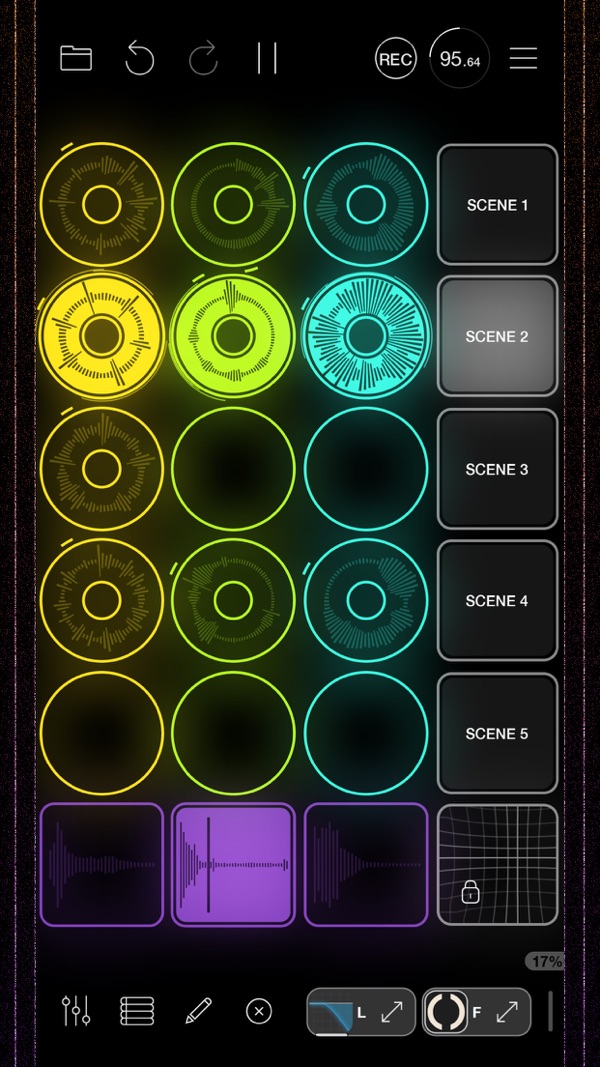
The reason it belongs here is that it understands live looping as an interface problem. Instead of forcing everyone into the same layout, Loopy Pro gives you a canvas. You can build a setup around your own way of performing: loops, buttons, dials, XY pads, pages, plugins, and external gear.
It can be a simple looper, but it can also become the center of a serious iPad performance rig. That flexibility makes it one of the strongest examples of iOS as a live music platform.
App Store: Loopy Pro — Looper DAW Sampler
SpaceCraft Granular Synth
SpaceCraft turns recordings, voice, ambient noise, or samples into playable granular instruments. It supports MIDI, MPE, AUv3, IAA, microphone recording, and file loading, and it is designed for creating textures, soundscapes, and arpeggiated rhythms from almost any source.
It fits nicely between the more exploratory granular apps and more traditional synth workflows. The interface makes it feel like you are piloting through sound rather than programming it from a list of parameters.
For ambient producers, SpaceCraft is especially appealing because it can take a small sound and stretch it into a playable atmosphere.
App Store: SpaceCraft Granular Synth
FRMS — Granular Synthesizer
FRMS is a granular synthesizer that also blends FM, additive, and subtractive synthesis. It uses up to four synthesis layers and can create evolving soundscapes, glitchy textures, dense ambient drones, and mechanical sound worlds. You can use its sample library, import your own sounds, or capture live audio for instant granulation.
That layering system is what makes FRMS stand out. It is not just "put a sample into a granular engine." It is more like a multi-engine sound-design instrument where granular material can be combined with other synthesis approaches.
For people making ambient, experimental, or cinematic textures, FRMS is one of the deeper options on iOS. It rewards time, but it still fits the broader iOS idea: take a sound, touch it, reshape it, and move quickly from source material to atmosphere.
App Store: FRMS — Granular Synthesizer
Closing Thoughts
The best iOS music apps are not necessarily the ones with the longest feature lists. They are the ones that understand the device.
A phone is a microphone you always have with you. An iPad is a performance surface. A touchscreen can make a waveform feel physical. A small app can be more creatively useful than a giant studio if it gets you to sound faster.
That is what connects these apps. Outsidify turns the outside world into an instrument. Samplr and Koala make samples feel immediate. Borderlands, Fluss, SpaceCraft, and FRMS turn tiny fragments of sound into evolving textures. Patterning and Fugue Machine rethink rhythm and time. AUM, Drambo, Gadget, and Loopy Pro show how deep an iOS setup can become when apps start working together.
The magic of iOS music is not that it replaces the studio. It is that it can make music feel more physical, portable, and alive.