Studio Notes
Free iOS Creative Apps Without AI
2026-08-31
24 free iPhone and iPad creative apps with no generative AI — 3D scanning, photo editing, drawing, pixel art, animation, and design tools where you still make the work. No prompts, no generative fill, no one-tap "enhance."
Open the App Store's creative category today and it is mostly prompts. Generate a logo. Enhance this photo. Remove that object. Describe what you want and wait.
Some of that is genuinely useful. But it has quietly crowded out a different kind of app — the kind where the software hands you tools and you make the thing yourself. Where a slider does exactly what the label says, an undo stack is a real undo stack, and the output is yours because you built it, not because a model guessed at it.
This is a list of those apps. Every one is free to download, works on iPhone or iPad, and does not put a generative model between you and the work.
What "without AI" means here. It means no generative AI — no model inventing content that was never there. It does not mean no machine learning, because on a modern phone that claim would be false before you even open an app. The stock iPhone camera runs ML constantly: Smart HDR and Deep Fusion composite several exposures into a single frame, Night mode stacks and aligns a burst of shots, and the live preview is being analysed in real time as you frame. Every photo you take has already been assembled by algorithms.
So the line this list draws is not "no math." It is about who makes the decisions. Computational photography measures something that is actually in front of the lens and reconstructs it as faithfully as it can. Generative AI invents pixels, objects, and compositions that never existed, from a prompt or a guess about what you probably wanted. The first is a better sensor. The second replaces the part where you decide.
That distinction is why the 3D scanners are here. Photogrammetry and LiDAR use machine learning to turn photographs and depth data into geometry — but they are measuring a real object in a real room. Nothing on this list will generate a subject, extend a background, remove an object and hallucinate what was behind it, or turn a sentence into an image.
A note on "free." Free means different things in the App Store, so here is how this list treats it. A handful of these are completely free — no ads, no in-app purchases, no watermark, no export limits. Those are flagged as Free, no strings. The rest are free to download with a real, usable free tier and an optional paid upgrade; those say Free tier. Nothing here is a trial that locks up after a week.
Scaniverse
Scaniverse turns an iPhone or iPad into a genuinely capable 3D scanner. Walk around an object or a room, watch the mesh build in real time, and end up with a textured model you can spin, measure, and export. It handles both LiDAR scanning and photogrammetry, so it works on devices without a depth sensor too.
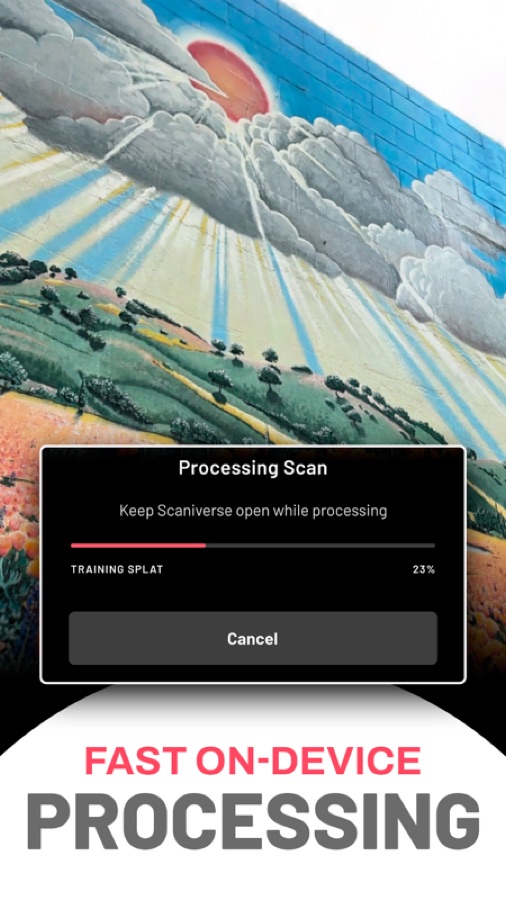
What makes it remarkable is the pricing: Scaniverse is free, and unlike most of its competitors it does not put your exports behind a paywall. Processing happens on the device rather than on someone's server, which is both faster in practice and means your scans are not being uploaded anywhere. For capturing objects, spaces, or textures to use in other work, it is the most generous option on iOS.
App Store: Scaniverse — 3D Scanner · Free, no strings · 4.8★
Snapseed
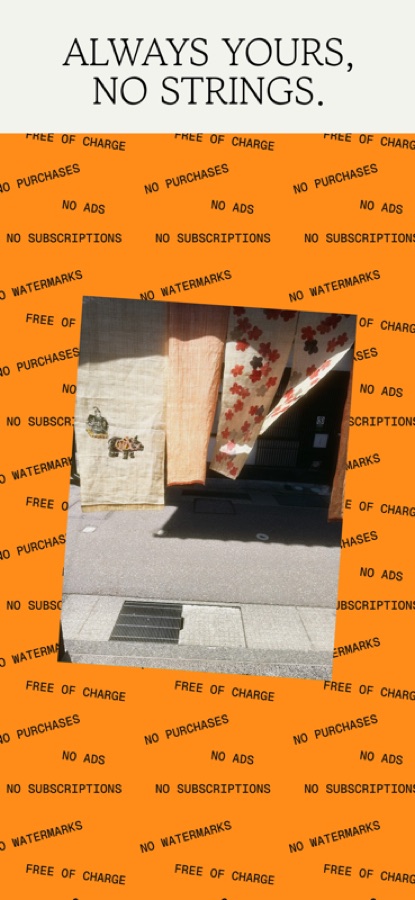
Snapseed remains the best free photo editor on iOS, and it is not close. Google has kept it completely free — no ads, no in-app purchases, no subscription, no watermark — while giving it tools that hold up against paid apps: curves, selective adjustments, healing, structure, glamour glow, and a proper stack of non-destructive edits you can revisit.
The selective and brush tools are the standouts. Being able to place control points and adjust exposure or saturation in one part of an image, by hand, is exactly the kind of precise, manual editing that "enhance" buttons replaced. Every edit is a stack you can step back through and re-tune later.
App Store: Snapseed · Free, no strings · 4.9★
Pixel Studio
Pixel Studio is a full pixel-art editor: layers, palettes, tilesets, onion skinning, and frame-by-frame animation that exports to GIF and MP4. It is built specifically for pixel work rather than being a general drawing app zoomed in, which shows in details like pixel-perfect strokes and dedicated palette management.
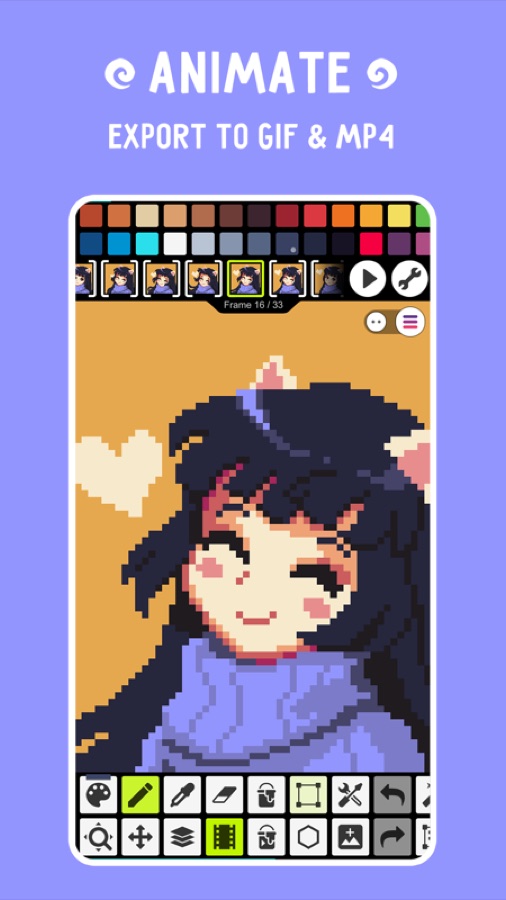
Pixel art is inherently a manual, decision-per-pixel medium — arguably the least automatable kind of digital image there is. There is no shortcut through it and no model that can do it for you at this resolution. This is the most capable free tool for it on iOS, and it is more than enough to make game sprites or finished pieces on a phone.
App Store: Pixel Studio · Free tier · 4.7★
Bitrot
Bitrot is our own app, and it exists more or less because of the premise of this list. Most photo apps want to do the work for you. Bitrot hands you the tools.
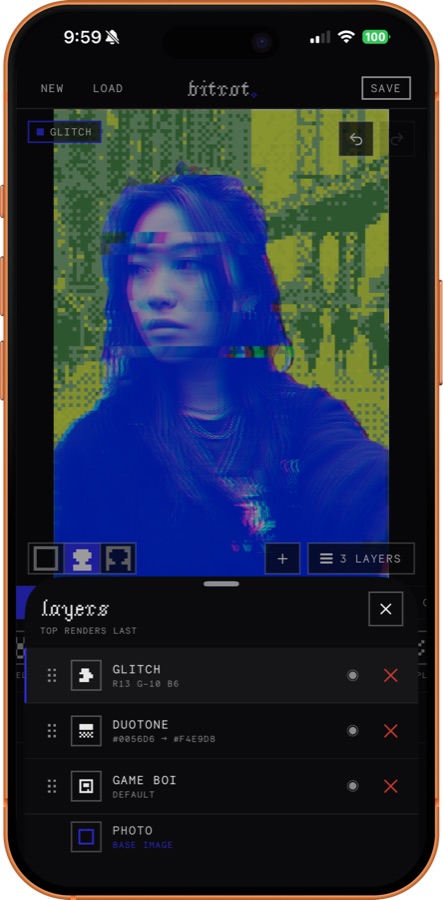
It is a real editor — layers, blend modes, masks, undo and redo — wrapped around a library of analog and digital effects most apps do not touch: Floyd–Steinberg dithering, datamosh, halftone, CRT and VHS artifacts, risograph, halation, scan lines, Game Boy palettes, warp and liquify. Stack them like layers, mask them to the subject or the background, grade with film-style presets, set type in dozens of fonts, or build a collage from scratch.
Everything runs on the device at full resolution. There is no AI, no cloud, no account, and no upload — photos never leave the phone. The complete editor is free forever with no watermark and unlimited exports; an optional Supporter tier adds iCloud sync and an experimental "Lab" of new effects.
App Store: Bitrot — Glitch Photo Editor · Free, no strings · New
Stop Motion Studio
Stop Motion Studio turns the phone into a full stop-motion rig: an onion-skin overlay of the previous frame, manual camera controls, frame-by-frame capture, audio, and titles. Physical objects, paper cutouts, clay, LEGO, whatever is on the desk.
It is one of the most tactile things you can do with a phone, and a genuinely good way to work when you have had enough of screens — the actual creative act happens with your hands, in front of the camera, and the app just records it faithfully. The free version covers everything needed to shoot and export a finished film.
App Store: Stop Motion Studio · Free tier · 4.6★
Sketchbook
Sketchbook was a paid professional drawing app for years before it went free, and it never got hollowed out in the process. You get a large set of genuinely good brushes, layers with blend modes, symmetry and perspective guides, and a clean interface that stays out of the way while you draw.
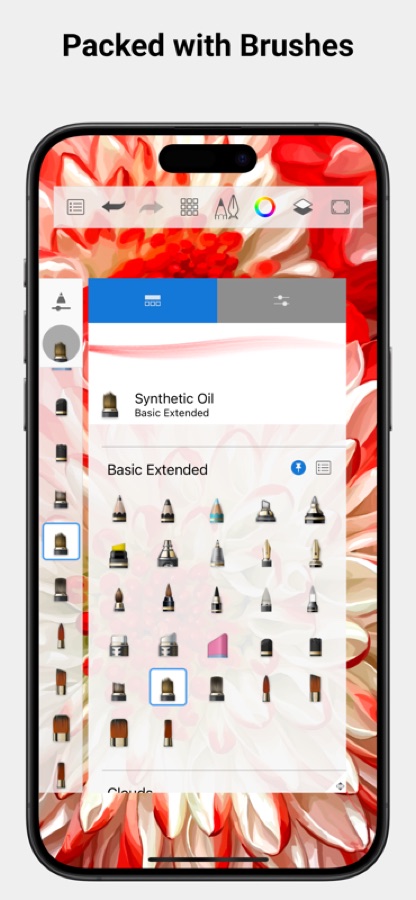
It is the most straightforward recommendation for anyone who wants to draw on an iPad without buying anything: no subscription, no ads, no export limits, and a toolset that will not run out from under you as you improve.
App Store: Sketchbook · Free, no strings · 4.8★
Polycam
Polycam is the most polished 3D scanner on the platform, and the one most likely to survive contact with a real project. Its LiDAR mode is fast enough to capture a whole room in a couple of minutes, its photogrammetry mode produces genuinely detailed textures, and it will generate automatic floor plans and measurements from a scan.
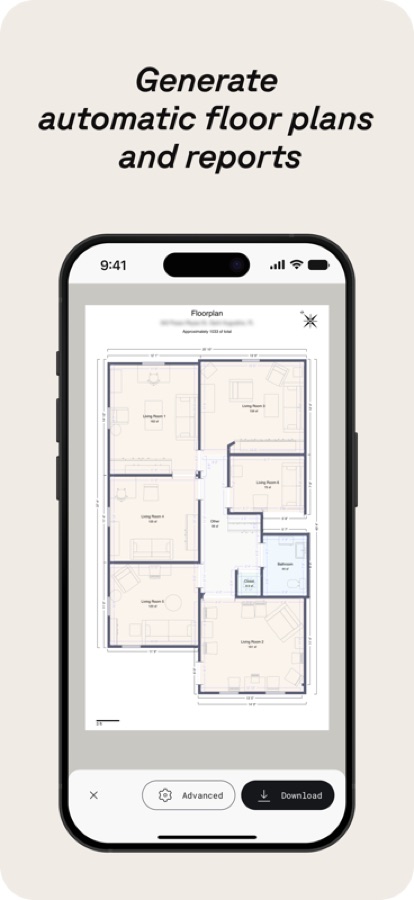
The free tier lets you scan and view freely; the Pro upgrade is where higher-resolution exports and the professional formats live. Even so, it is worth installing alongside Scaniverse to understand what phone-based scanning is actually capable of now — the gap between this and a dedicated scanner has gotten small.
App Store: Polycam — 3D Scans & Floor Plans · Free tier · 4.7★
Dazz Cam
Dazz Cam simulates old cameras — early digicams, disposables, camcorders, 8mm film — with the specific, slightly wrong rendering that made those devices interesting. Blown highlights, date stamps, heavy grain, soft focus, light leaks. It is nostalgia rendered as an optical model rather than a filter.
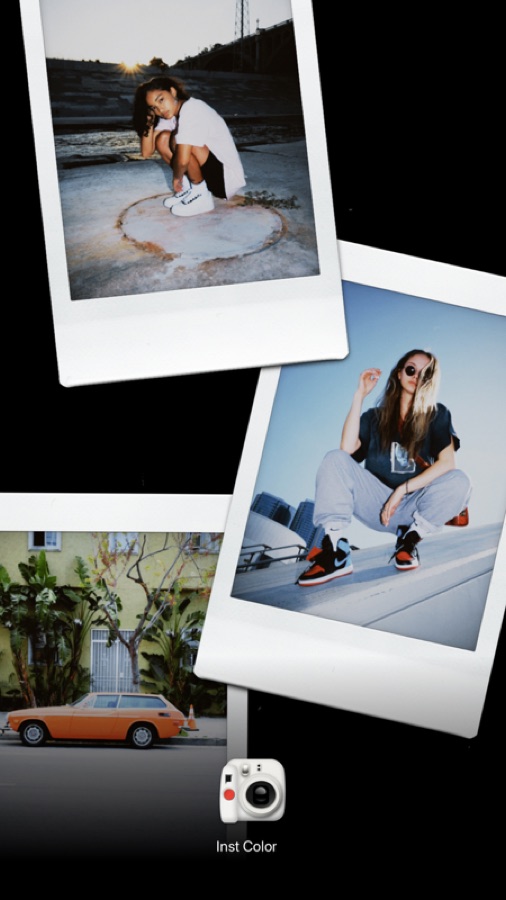
What makes it fun rather than gimmicky is the breadth: dozens of distinct camera and film combinations, each with its own personality, and the ability to apply them to photos you already have. It is free to use with paid packs for the full library.
App Store: Dazz Cam — Vintage Camera · Free tier · 4.8★
(Not Boring) Camera
The (Not Boring) apps are small, joyful, obsessively designed tools, and the camera is the best of them — an Apple Design Award winner built around the idea that a camera should be a pleasure to hold rather than a menu to navigate. The interface is tactile and a little absurd, with chunky dials and animated hardware you actually want to touch.
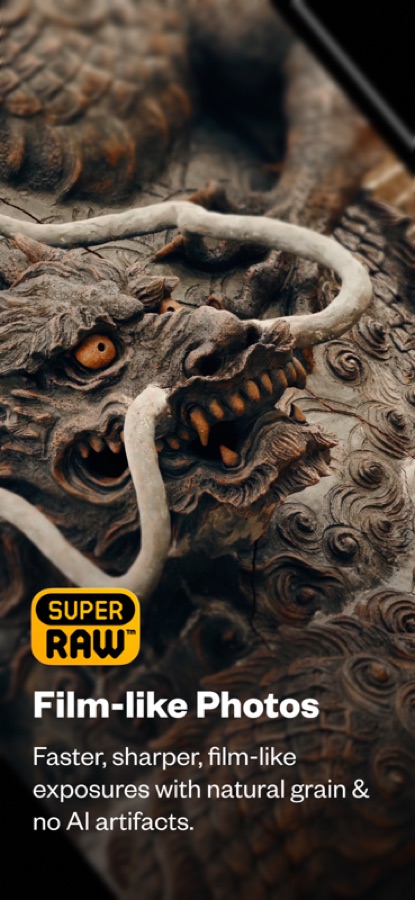
Underneath the playfulness is a serious point, and the developers make it themselves: its Super Raw mode produces faster, sharper, film-like exposures with natural grain and, in their words, no AI artifacts. It is a deliberate alternative to the over-processed, smoothed-out look that computational photography defaults to — proof that "fun" and "principled" are not opposites.
App Store: (Not Boring) Camera · Free tier · 4.6★
Halide Mark III
Halide is a manual camera app: real control over focus, exposure, white balance, and RAW capture, with focus peaking and a histogram, wrapped in an interface designed for one-handed shooting. It is what the stock camera would be if it trusted you.
It belongs on this list in particular for Process Zero, a shooting mode that deliberately skips the phone's computational pipeline entirely — no multi-frame merging, no machine-learning sharpening, no HDR smoothing. You get something much closer to what the sensor actually saw: grainier, softer, and far more filmic. Given everything said above about how much your phone already processes, it is the most literal rejection of that on the App Store.
App Store: Halide Mark III — Pro Camera · Free tier · 4.4★
Concepts
Concepts is an infinite canvas built on vectors, which makes it an unusual hybrid: it feels like sketching, but every stroke stays editable, movable, and resizable afterward. You can draw loosely, then go back and adjust a line's weight or color without redrawing it.
That combination makes it excellent for design thinking — wireframes, storyboards, plans, diagrams, moodboards, and illustration that needs to stay flexible. The free version covers the core canvas and tools; the paid upgrade unlocks the full brush and export set. For anyone doing design work rather than finished painting, it is one of the best tools on the iPad.
App Store: Concepts · Free tier · 4.7★
VN Video Editor
VN is the free video editor that does not punish you for not paying. Multi-track timeline, keyframe animation, curve-based speed ramping, color grading with LUT support, and — most notably — no watermark on exports, which is the trick nearly every other free editor uses.
It is comfortably capable enough for real work: music videos, short films, edits, documentation. The interface borrows sensibly from desktop editors, so timeline experience transfers directly. Among free video tools it is the one that feels least like a demo.
App Store: VN — Video Editor · Free, no strings · 4.8★
ibis Paint X
ibis Paint X is a deep illustration app built around comics, manga, and anime workflows — hundreds of brushes, extensive layer support, screentones, panel tools, rulers, and clipping masks. It also records your drawing process as a video, which is why so much of it ends up on social feeds.
The free version is ad-supported with some tools gated, and there is a paid tier to remove that. What you get for nothing is remarkable: a genuinely professional illustration toolset with one of the largest communities of any drawing app on iOS, which means tutorials for almost anything you want to learn.
App Store: ibis Paint X · Free tier · 4.7★
Darkroom
Darkroom is the photo editor for people who care about color. It works directly with your photo library, handles RAW and video, and its curves and color tools are precise enough for serious grading work. Custom filters you build can be saved and reapplied across a whole shoot, which makes it genuinely useful for keeping a body of work consistent.
The free version is unusually complete — the core editing tools are all there, with the paid tier adding professional features like advanced curves and batch export. It is fast, native, beautifully built, and it treats your photos as files you own rather than uploads.
App Store: Darkroom — Photo & Video Editor · Free tier · 4.8★
FlipaClip
FlipaClip is frame-by-frame 2D animation, done the traditional way: draw each frame, use onion skinning to see the ones around it, scrub the timeline, add sound. There are layers, and there is a real sense of the animation craft rather than a tween generator.
That directness is why it caught on so widely with people teaching themselves to animate. It is hand-drawn animation with the tedious parts — registration, playback, export — handled for you, and the parts that matter left firmly in your hands.
App Store: FlipaClip — Draw 2D Animation · Free tier · 4.6★
dotpict
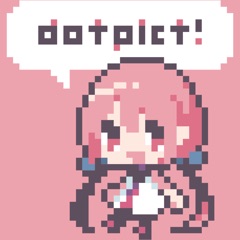
dotpict is the minimalist counterpart to Pixel Studio: a deliberately tiny, calm pixel-art app with a fixed canvas, a simple palette, and almost no interface. There is no pressure to make anything impressive, which is precisely why people keep using it.
It is a small app with a small but genuinely fond following, and it is very good at the thing it does — quick pixel sketches on a phone, one square at a time. If Pixel Studio is a workshop, this is a notebook.
App Store: dotpict · Free tier · 4.6★
Assembly
Assembly builds vector artwork out of shapes instead of pen-tool paths. You combine, subtract, and arrange basic forms until they become a logo, an icon, a character, or an illustration — a bit like working with digital paper cutouts, and far more approachable than traditional vector drawing.
The result is still real vector output that exports as SVG, so it scales cleanly to any size. It is a smart answer to a genuine problem: proper vector tools have a steep learning curve, and this one lets people make clean, scalable graphics without first learning bézier curves.
App Store: Assembly — Vector & SVG Maker · Free tier · 4.5★
Afterlight
Afterlight is built around film emulation done with actual craft — grain, light leaks, dust, and color profiles modelled on real stocks rather than dropped on as a flat overlay. It also has a full set of manual adjustment tools underneath, so the character is a starting point you keep shaping.
It sits in a useful spot between a one-tap filter app and a full editor: fast enough for everyday edits, deep enough that the results do not all look identical. For anyone chasing a consistent analog-leaning look without a subscription to a preset library, it is a strong pick.
App Store: Afterlight — Film Photo Editor · Free tier · 4.7★
Tayasui Sketches
Sketches takes the opposite approach to ibis Paint: instead of maximum features, it models traditional media convincingly. Its watercolor bleeds into the paper, its ink pools, its markers overlap the way real ones do. The interface is deliberately calm and uncluttered.
That makes it the app for loose, expressive, analog-feeling work rather than technical illustration. It is a pleasure to just open and doodle in, which is a genuine feature — a lot of drawing apps present you with so many options that starting becomes the hard part.
App Store: Tayasui Sketches · Free tier · 4.5★
Hypocam
Hypocam only does black and white, and that constraint is the feature. Because it is not trying to handle color, its tonal tools are unusually good — contrast, grain, and channel-level control over how colors translate into grey, which is the part most monochrome filters get wrong.
It is a small, quiet app with a devoted following rather than a big install base, and it is the kind of thing this list exists to surface. If you shoot black and white seriously, converting in a dedicated tool rather than desaturating in a general editor makes a real difference.
App Store: Hypocam · Free tier · 4.6★
Alight Motion
Alight Motion is motion graphics on a phone: keyframe animation, vector and bitmap layers, blend modes, visual effects, and a genuine layer-based compositing model. It is closer in spirit to a desktop compositing tool than to a video editor.
That makes it the tool for animated typography, overlays, transitions, and abstract visual work — things a normal editor cannot really do. It has a learning curve, but it is the most capable free option in a category that barely exists on mobile otherwise.
App Store: Alight Motion · Free tier · 4.4★
MediBang Paint
MediBang Paint is a free comic and illustration app with a large built-in library of brushes, tones, backgrounds, and fonts, plus proper multi-page comic management and cloud sync between devices. For anyone actually producing sequential work, that page handling matters more than another brush engine.
It is fully free with an account, supported by the company's publishing platform rather than by charging for the tools. Alongside ibis Paint it makes iOS a surprisingly complete environment for making comics from scratch.
App Store: MediBang Paint · Free tier · 4.6★
Unfold
Unfold is a layout tool wearing the clothes of a social app. Underneath the story templates is a genuinely good editorial grid system — type, spacing, photo frames, and film-inspired textures assembled with a designer's eye rather than a generator's.
It earns its place because the templates are starting points, not endpoints: you can pull them apart, restyle them, and end up somewhere personal. For quick, good-looking layouts — carousels, zine pages, photo sets, release announcements — it is faster than opening a real design app, and the free tier covers a lot of ground.
App Store: Unfold · Free tier · 4.9★
Phonto

Phonto does one thing: it puts text on images, properly. Hundreds of fonts, plus the ability to install your own, with real control over size, spacing, curvature, stroke, shadow, and background. It is the tool people reach for after discovering that most "add text" features are a single font and a color picker.
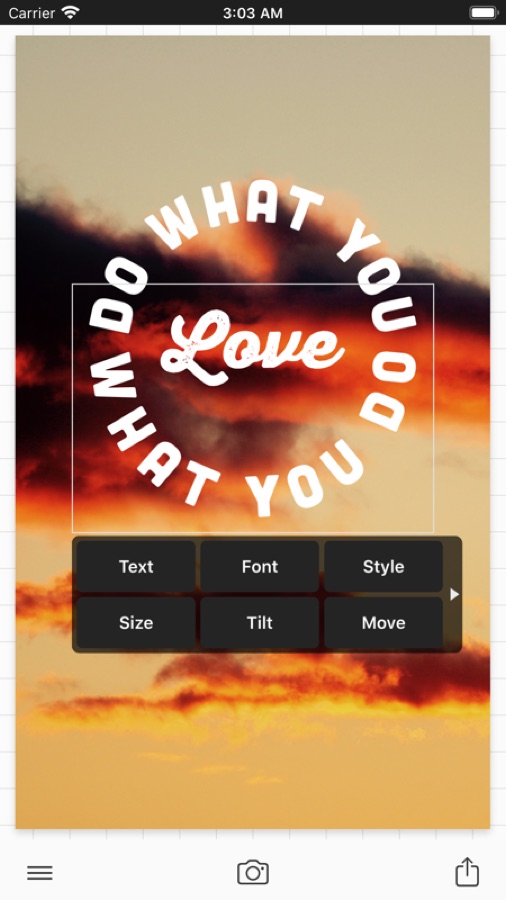
For posters, flyers, zines, album art, and social graphics it is quietly essential, and it has stayed genuinely free and watermark-free for years. There is no template library making the decisions for you — you place the type, which is the entire point.
App Store: Phonto — Text on Photos · Free, no strings · 4.8★
Closing Thoughts
There is nothing wrong with tools that automate the boring parts. But something is lost when every creative app becomes a text box, and the interesting decisions get made somewhere you cannot see or adjust.
The apps here all share a quality: they give you something to push against. A brush that behaves a specific way. A palette with a fixed number of colors. A camera that renders highlights wrong in an interesting direction. A canvas where every pixel is a decision. Constraints like these are not obstacles to creative work — historically, they are most of where style comes from.
None of this requires spending money. Between Snapseed, Sketchbook, Phonto, VN, Scaniverse, and Bitrot alone you have a serious editing, drawing, layout, video, 3D, and glitch pipeline that costs nothing and asks for no account. Everything else on this list is a free download away.
Make something the software could not have guessed at.