Studio Notes
The Best iPad Apps for Music Production — Synths, Samplers, Sequencers, and Effects
2026-07-22
A comprehensive guide to the best iPad instruments and production tools — synths like Nave, Synth One and SynthMaster One, the full Moog catalog, Korg iM1 and Module Pro, Pianoteq, GeoShred, samplers like Koala and Drambo, Loopy Pro, Fugue Machine, Fluss, Eventide effects, and more. Instruments you build tracks from, not just DAWs.
A while back we put together a list of the best iOS music apps for sound design, sampling, and ambient music. This is a companion piece pointed at a different question: not "which DAW should I use?", but "what should I actually make the sound with?"
There is no shortage of full studios on the iPad now, and they are genuinely good. But the more interesting story is the instruments — the synths, samplers, physical-modelling engines, sequencers, and effects that give a track its character. A DAW is a room. These are the things you put in it. You can build an entire piece of music inside any one of them, and most run as AUv3 plugins, so they also drop straight into whatever host you already use.
This list leans hard into that: standalone instruments and unique production tools rather than timelines and mixers. It is deliberately comprehensive, including Moog's entire iOS catalog, a spread of synths and keyboards, sampling and groovebox environments, a few sequencers that think about time in unusual ways, some character effects, and — near the end — one small ambient tool of our own. Some overlap with the first list; where they do, the angle here is what they add to a production, not just what they are.
Waldorf Nave
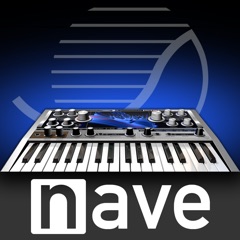
Nave is Waldorf's wavetable synth, built around a striking touchable 3D display of the wavetables you are moving through. That visual is not just decoration — being able to see and grab the waveform makes wavetable synthesis, which can feel abstract, immediate and hands-on.
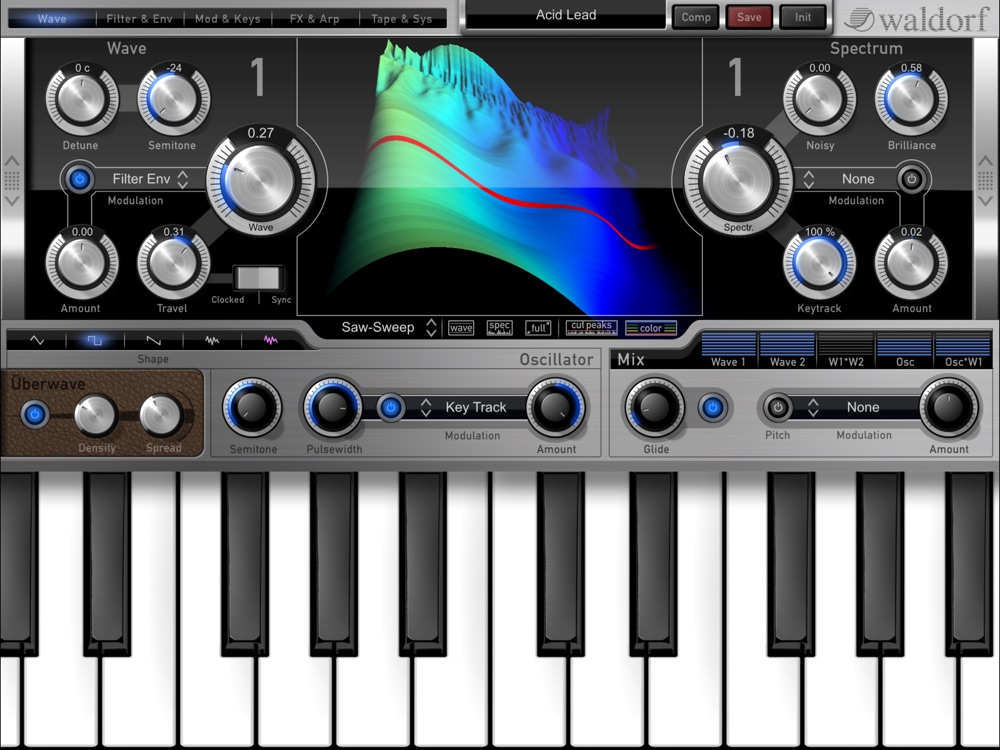
Sonically it is at home with evolving digital textures, glassy pads, and modern leads, but it has the low end and grit for more aggressive sounds too. As an instrument to build a track's identity around, Nave offers a lot of distinctive character that is hard to get elsewhere, and it hosts inside your DAW as a plugin.
App Store: Nave
AudioKit Synth One
Synth One is one of the best deals in software instruments anywhere: a genuinely powerful synth that is completely free and open-source, with no ads and no upsells. It combines analog, FM, and additive engines with a large preset library, a capable arpeggiator, and a built-in sequencer, in an interface that is easy to learn.
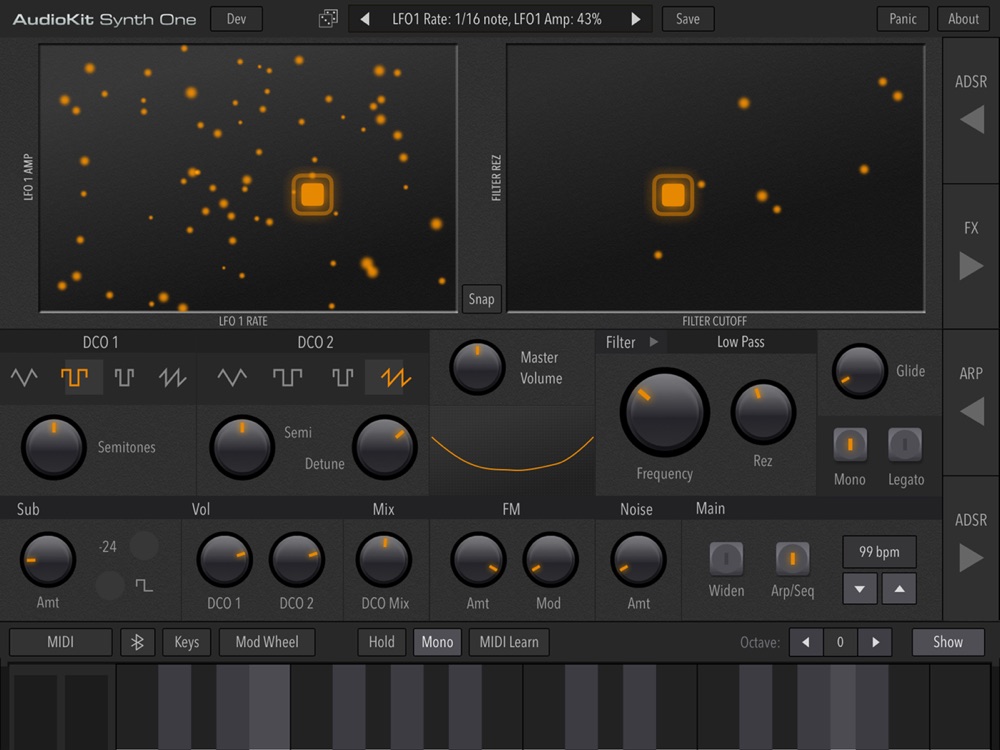
As an AUv3 plugin it drops into any host, which is why it is so often the first instrument new iPad producers add. That it costs nothing and still holds its own against paid synths makes it an essential download no matter what else is in your setup.
App Store: AudioKit Synth One Synthesizer
Moog Minimoog Model D
The Minimoog Model D is the synthesizer a lot of people picture when they picture a synthesizer, and Moog's own iOS version is a faithful recreation of it. It captures the thick, slightly unruly analog tone of the original — the basses, the leads, the growl — and then quietly adds things the 1970 hardware never had: polyphony, an arpeggiator, effects, and a looping recorder.
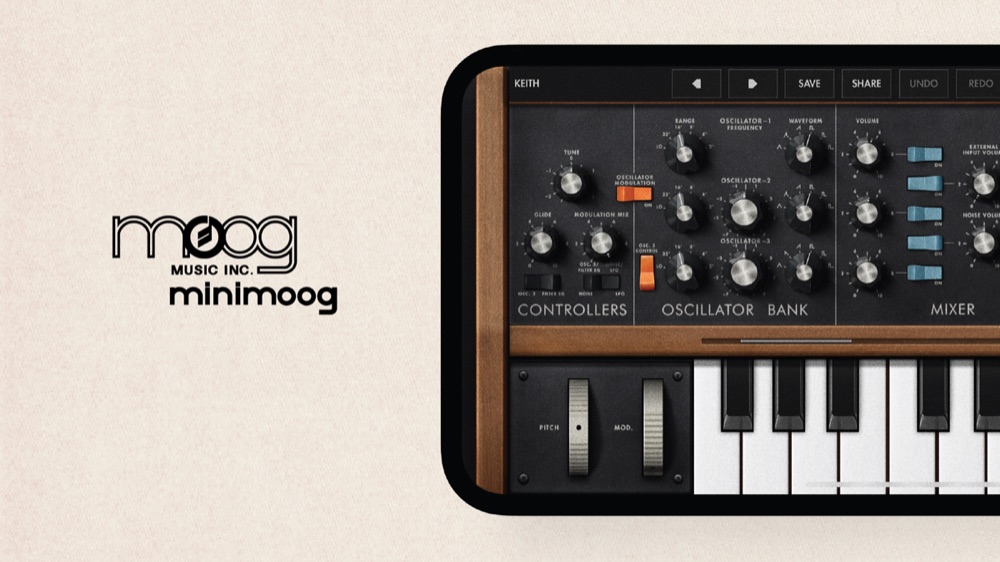
For production it is the app you reach for when a part needs real weight and presence. Drop a Model D bass line or lead under an otherwise clean, digital arrangement and the whole thing suddenly sounds like it cost more than it did. It hosts as an AUv3 plugin, so it lives happily inside any setup.
App Store: Minimoog Model D Synthesizer
Korg iM1
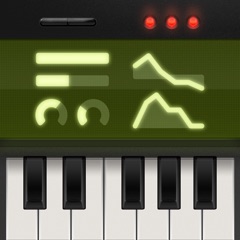
The Korg iM1 is a faithful recreation of the M1, the workstation that defined the sound of an entire era of pop, house, and dance music. Its house-piano, organ, bell, and pad sounds are instantly recognisable, and the app pairs that classic sample-based engine with a full editor, effects, and a combi mode for layered, split sounds.
For production it is a shortcut to a specific, beloved palette — the kind of sounds that immediately place a track in a certain lineage. It also expands well beyond nostalgia, with a big library and deep editing for anyone who wants to push those iconic sources somewhere new.
App Store: KORG iM1
Koala Sampler
Koala is probably the most immediately fun sampler on iOS, and it belongs on any production list because of how fast it turns a sound into music. Record through the mic, load a file, chop it across pads, add effects, sequence it, and resample the result back into itself — all in seconds, without wading through file systems and slicing menus.
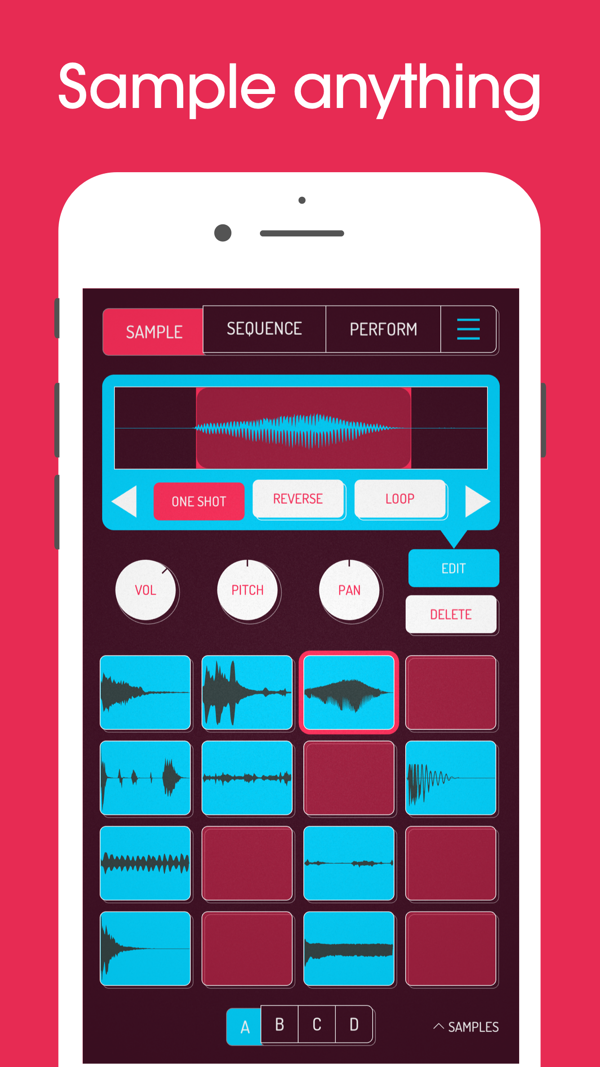
Its depth comes from that speed: it lets you repeat the sampling loop so quickly that happy accidents pile up into finished ideas. Whether you use it as a standalone sketchpad for beats and textures or as a plugin feeding a larger session, Koala is one of the quickest paths from a random sound to the core of a track.
App Store: Koala Sampler — Beat Maker
Moog Model 15
Where the Model D is a monosynth, the Model 15 is a modular system — Moog's recreation of its classic modular synthesizer, complete with a patchable interface where you route signals between oscillators, filters, and modulation sources by hand. It is the more open-ended, more experimental of the two.
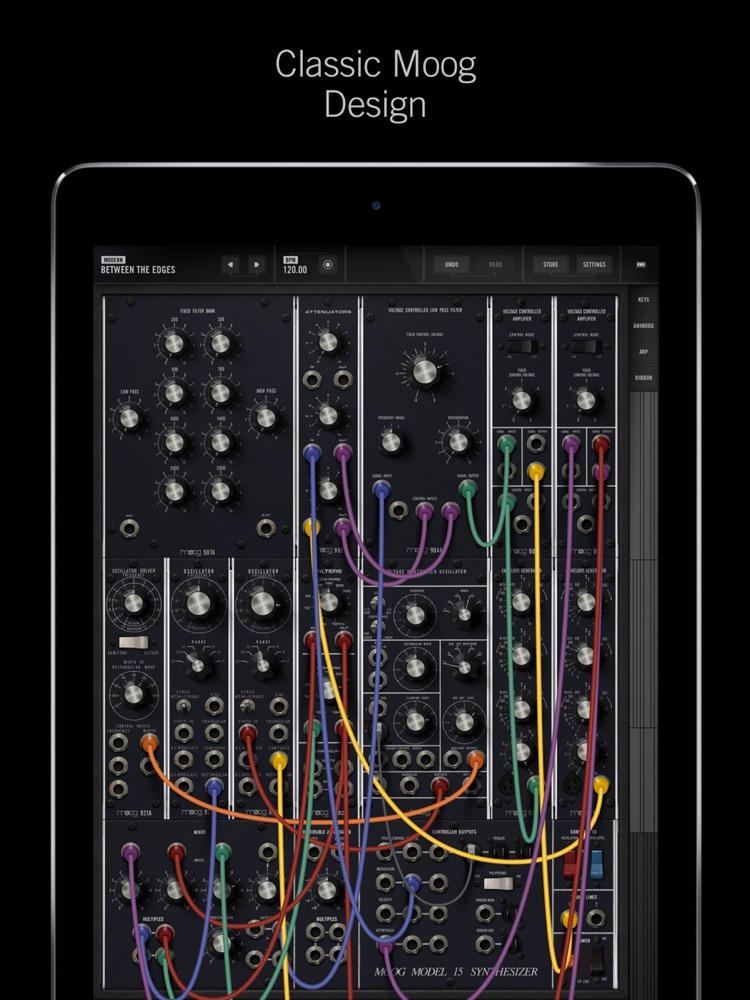
That makes it a sound-design instrument as much as a performance one. You can chase evolving drones, mechanical textures, and complex modulated patches that would be impossible on a fixed-architecture synth. There is a learning curve, but the payoff is sounds that feel built rather than dialled up, and every patch you make is genuinely yours.
App Store: Model 15 Modular Synthesizer
SynthMaster One
SynthMaster One is a semi-modular wavetable synthesizer that punches well above its price. It pairs wavetable oscillators with classic subtractive tools, a deep effects section, and a large, well-organized preset library covering everything from lush pads to sharp leads and gnarly basses.
It is the kind of synth you can use as a beginner by browsing presets and as a sound designer by diving into the wavetables and modulation. Running as an AUv3 plugin, it becomes a reliable go-to source for polished, modern sounds inside any session.
App Store: SynthMaster One
Moog Animoog Z
Animoog Z is Moog's modern, touch-native synth, built around anisotropic synthesis and a performance surface designed for the screen rather than borrowed from hardware. It is a 16-voice polyphonic instrument where you navigate through sound spatially, sliding across timbres instead of just recalling a patch.
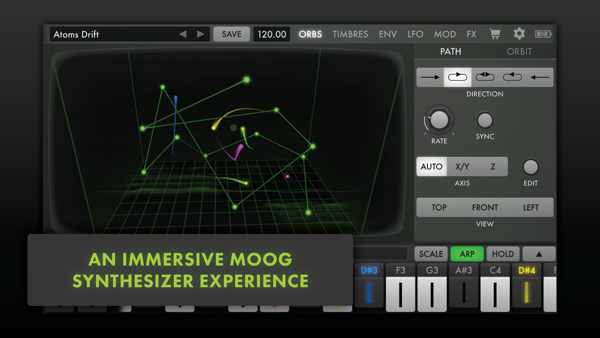
In a production context it excels at motion — evolving pads, shifting textures, and expressive lead lines that change as you move your fingers. It is a free download to start, hosts as a plugin, and is one of the clearest examples of a legacy synth company genuinely rethinking what an instrument can be on a tablet.
App Store: Animoog Z Synthesizer
Korg Module Pro
Module Pro is a high-quality sound module focused on realistic, playable keyboard instruments: grand pianos, electric pianos, organs, clavs, and multi-sampled synths. Where a lot of iPad synths chase texture and experimentation, Module is about having excellent, ready-to-play acoustic and electric keys under your fingers.
That makes it a workhorse rather than a novelty. When a track needs a convincing piano or Rhodes part rather than another synth, Module Pro delivers it, and it hosts as an AUv3 instrument so those sounds are available anywhere. It is one of the most practical "real instrument" apps on the platform.
App Store: KORG Module Pro
Drambo

Drambo is a modular groovebox and audio-processing environment, and it is deep enough to be an entire studio for some people. You build synths, sampled instruments, and effects out of modular components, wire them together, and drive it all from a sequencer at the centre — a groovebox-first take on modular rather than a copy of Eurorack or a desktop rig.
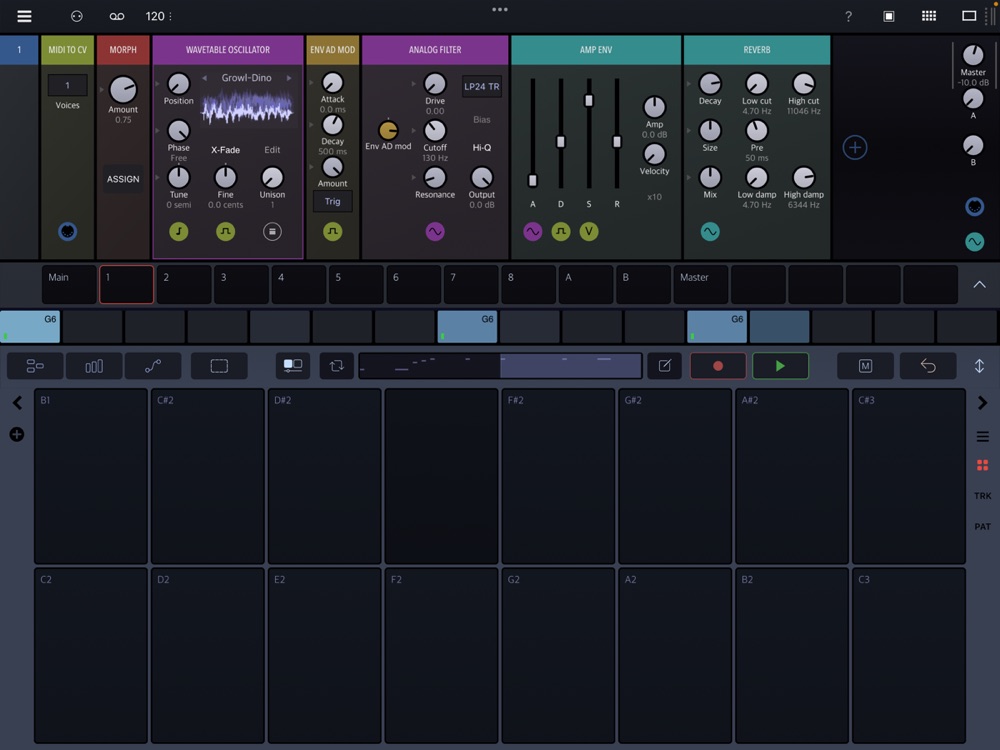
What makes it a great production tool is that it collapses the boundary between instrument, effect, and sequencer. You can design a sound, process it, and sequence it all in one patch, then use that patch as a plugin inside another host. It rewards curiosity and is a favourite of people who like building their own machines.
App Store: Drambo
Moog Animoog Galaxy
Animoog Galaxy is the newer evolution of the Animoog idea, expanding the anisotropic engine into a broader, more immersive instrument. It keeps the spatial, touch-first approach to timbre but gives you more scope for building rich, layered, evolving sounds — the kind of moving atmospheres that anchor ambient, cinematic, and electronic tracks.
Think of it as the deeper end of the Animoog family: if Animoog Z is the immediate, playable version, Galaxy is where you go to design more elaborate, slowly transforming patches. For producers who want their pads and leads to feel alive rather than static, it is a strong addition.
App Store: Animoog Galaxy
Pianoteq 8
Pianoteq takes a completely different approach to piano than the sample-based keyboards above: instead of playing back recordings, it models the physics of the instrument in real time — the strings, the hammers, the resonance, the way notes interact. The result is a piano that responds and sustains like a real one, with a tiny footprint because there are no gigabytes of samples to load.
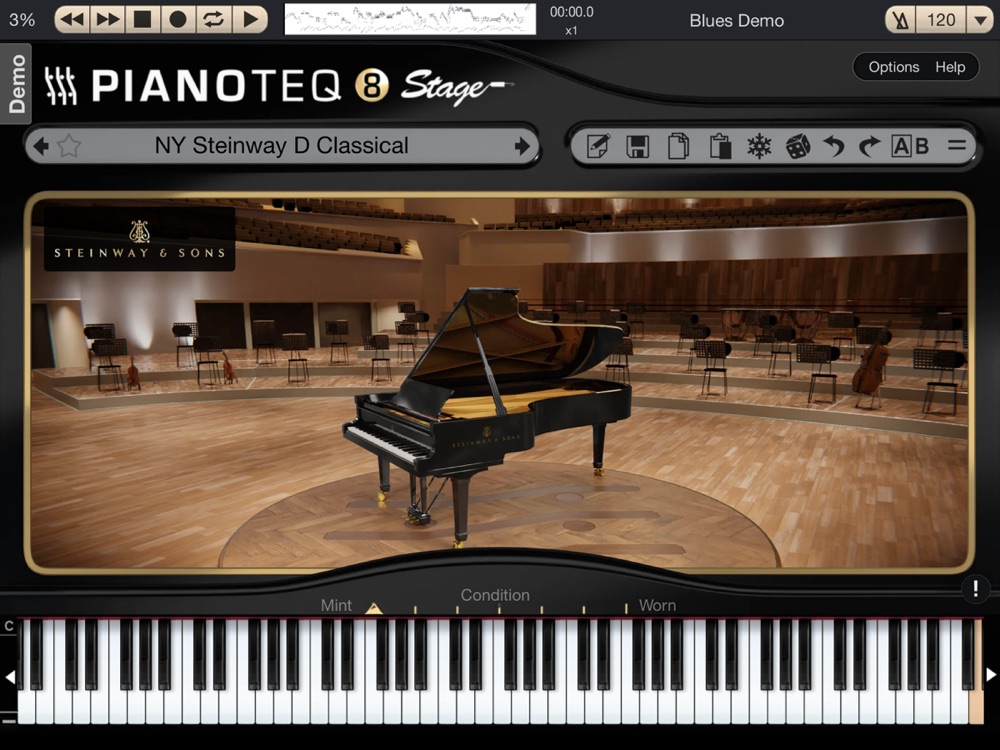
For anyone who cares about expressive keyboard playing, it is remarkable. Beyond faithful acoustic grands it also models historical instruments, electric pianos, and more experimental modelled sounds. On iPad, having a physically-modelled piano this good, this responsive, and this light on storage is genuinely special.
App Store: Pianoteq 8
Fugue Machine
Fugue Machine is a multi-playhead sequencer that turns a single piano roll into something far more alive. You write one line of notes, then set multiple playheads running across it at different speeds, directions, and octaves at the same time — so a simple phrase blooms into counterpoint, canons, and interlocking patterns.
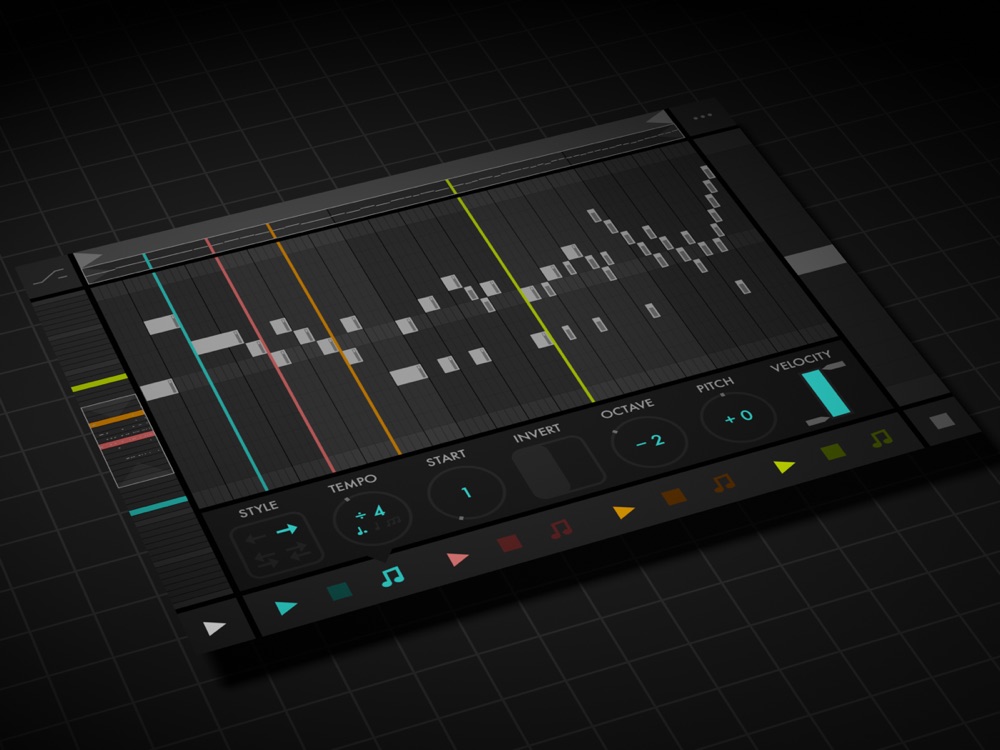
It is a composition tool more than a sound source, and a genuinely inspiring one. Point its output at any of the synths above and you get evolving, generative melodic material that stays musical instead of drifting into randomness. For anyone who likes patterns that develop on their own, it is one of the most rewarding sequencers on iOS.
App Store: Fugue Machine : MIDI Sequencer
Moog Mariana Bass Synthesizer
Mariana is Moog's dedicated bass synthesizer, and having a purpose-built low-end instrument is more useful than it sounds. Instead of coaxing a general synth into a good bass patch, Mariana is designed from the ground up around dual layers, filters, and modulation tuned specifically for deep, defined, powerful low frequencies.
It is the kind of focused tool that earns its place fast: a great bass sound is often the hardest part of a mobile production to get right, and Mariana makes it easy to land one that sits properly under everything else. As an AUv3 plugin it slots into any track that needs its foundation sorted.
App Store: Mariana Bass Synthesizer
GeoShred
GeoShred is one of the most expressive instruments on the iPad — a physically-modelled string and wind instrument played on an isomorphic touch grid with full MPE-style control over pitch, slides, vibrato, and articulation. It was built with guitarist Jordan Rudess, and it plays less like a keyboard and more like a fretless, endlessly bendable instrument.
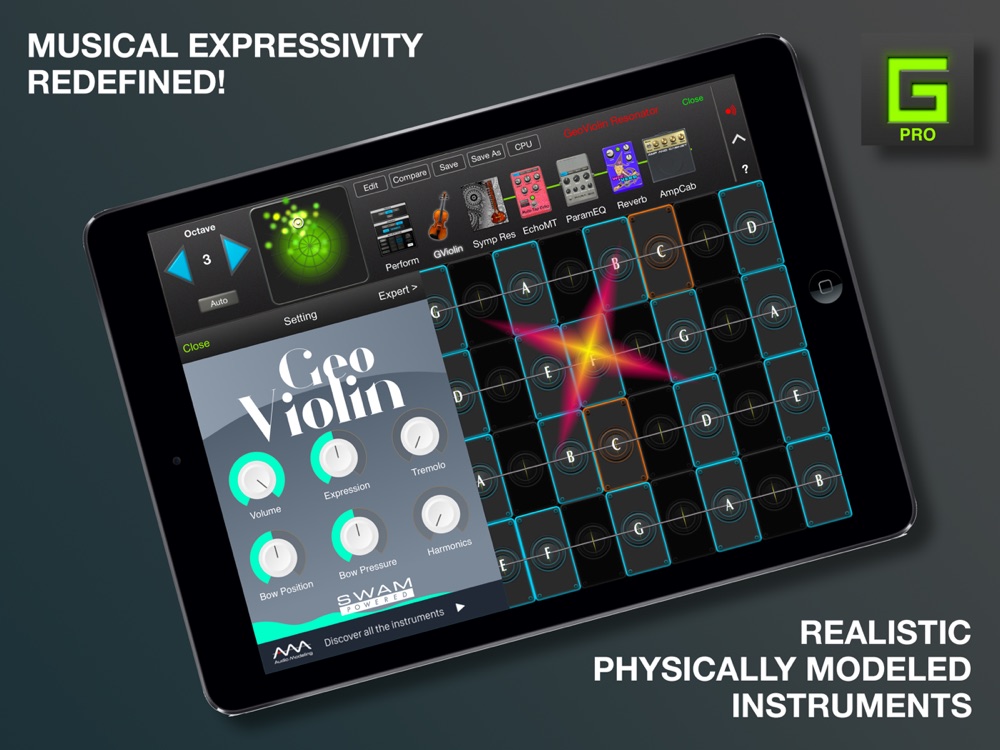
For production it is the app to reach for when you want a lead that actually performs — soaring, vocal, gliding lines with real touch sensitivity rather than stiff, quantised notes. It works standalone and as a plugin, and it is a reminder that the flat screen can be a genuinely new kind of instrument, not just a picture of an old one.
App Store: GeoShred
iMPC Pro 2
iMPC Pro 2 brings the Akai MPC workflow — the machine that shaped decades of hip-hop and electronic production — to the iPad. You get sampling, pad-based finger drumming, step sequencing, turntable-style chopping and scratching, effects, and a mixer, all in the familiar MPC layout.
If you already think in banks, pads, and sequences, it feels like home; if you don't, it is a genuinely fun way to learn that approach to beat-making. It works as a standalone groovebox for building beats and loops, and it can export or hand those off to a larger session when you are ready to arrange.
App Store: iMPC Pro 2
Groove Rider GR-16
Groove Rider GR-16 is a pattern-based groovebox aimed squarely at dance and electronic music. It combines a polyphonic synth engine and drum sounds with a step sequencer, per-step parameter automation, and live performance controls, so you can build and morph patterns on the fly.
It occupies a nice middle ground: more focused and immediate than a full DAW, but deep enough to write real arrangements rather than just loops. For anyone who likes the hardware-groovebox way of working — sit down, lay in a pattern, tweak knobs until it moves — GR-16 delivers that feeling on the iPad.
App Store: Groove Rider GR-16
Moog Moogerfooger Effects
Moog also brought its entire Moogerfooger line — the classic analog effect pedals — to iOS as AUv3 plugins, and together they form one of the best character-effect collections on the platform. Each one is a faithful model of the hardware, with that unmistakable Moog warmth and grit, and they are especially good on synths, guitars, drums, and anything you want to rough up or set in motion.
The full set: the MF-101S Lowpass Filter, MF-102S Ring Modulator, MF-103S 12-Stage Phaser, MF-104S Analog Delay, MF-105S MuRF, MF-107S FreqBox, MF-108S Cluster Flux, and MF-109S Saturator. Buy the ones that fit how you work; each is inexpensive and adds real analog character to a plugin chain.
Battalion — Drum Machine
Battalion, from Unfiltered Audio, is a synthesis-based drum machine rather than a sample player. It builds its sounds from multiple synthesis engines, which means the drums are fully editable at the source — you shape the kick, snare, and percussion by sound design rather than by picking a sample, and you can push them from clean and precise to completely destroyed.
That makes it a powerful production tool for anyone who wants drums with real personality. Paired with its sequencing and modulation, Battalion can produce everything from tight electronic kits to harsh, industrial, glitching rhythms, and because the sounds are generated rather than loaded, no two tracks have to hit the same.
App Store: Battalion — Drum Machine
Euclidean AUv3 Sequencer
The Euclidean Sequencer is a focused, hands-on take on a powerful idea: distributing a number of hits as evenly as possible across a number of steps. That single concept — Euclidean rhythm — generates a huge range of grooves, from familiar patterns to polyrhythms you would never program by hand, just by turning a couple of dials.
As an AUv3 MIDI plugin it drives any instrument in your host, which makes it a fast way to inject rhythmic life into drums, basslines, and arps. It is the kind of small, specialised tool that punches above its size: one clever engine that keeps producing patterns worth building on.
App Store: Euclidean AUv3 Sequencer
Fluss
Fluss is a granular playground designed by Bram Bos and Hainbach, built around hands-on exploration rather than menus of parameters. You feed it sound and then push, stretch, and scatter it through grains with a playful, kinetic touch interface that rewards performance and experimentation.
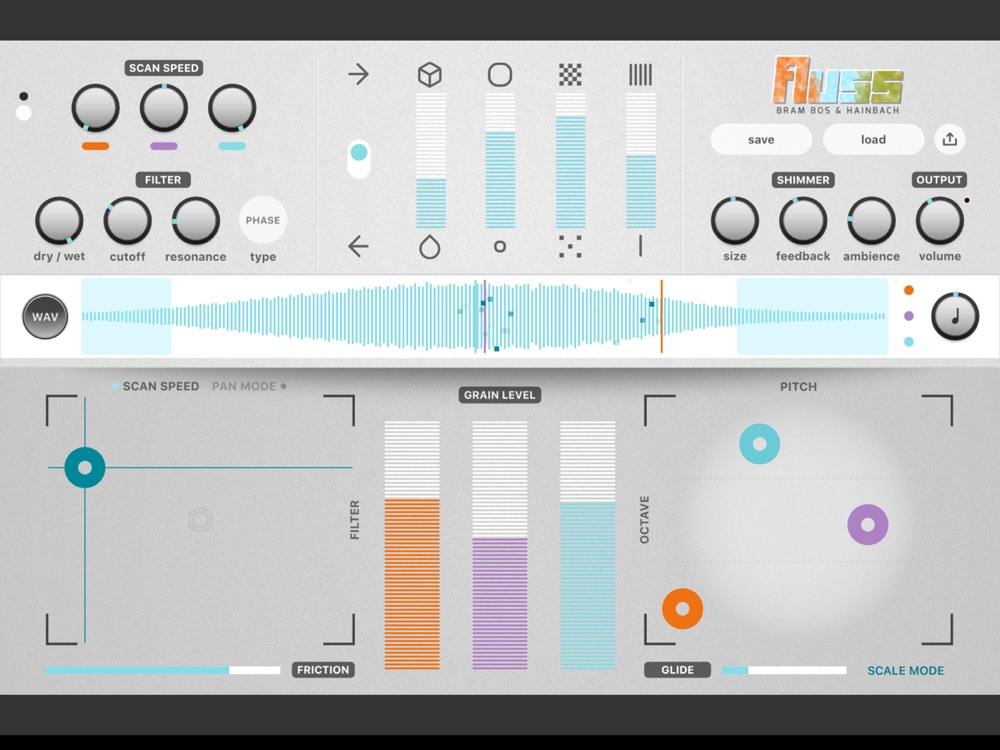
As a production tool it is a texture factory: take a field recording, a synth note, or a vocal snippet and turn it into evolving pads, clouds, and atmospheres that would be hard to reach any other way. It sits between experimental instrument and sound-design utility, and it is a fast route to material that makes a track feel distinctive.
App Store: Fluss — Granular Playground
Loopy Pro
Loopy Pro is a customizable music-creation environment built around looping, sampling, MIDI, plugin hosting, and performance. Instead of forcing everyone into the same layout, it hands you a canvas: build a setup out of loops, buttons, dials, XY pads, and pages that matches your own way of working or performing.
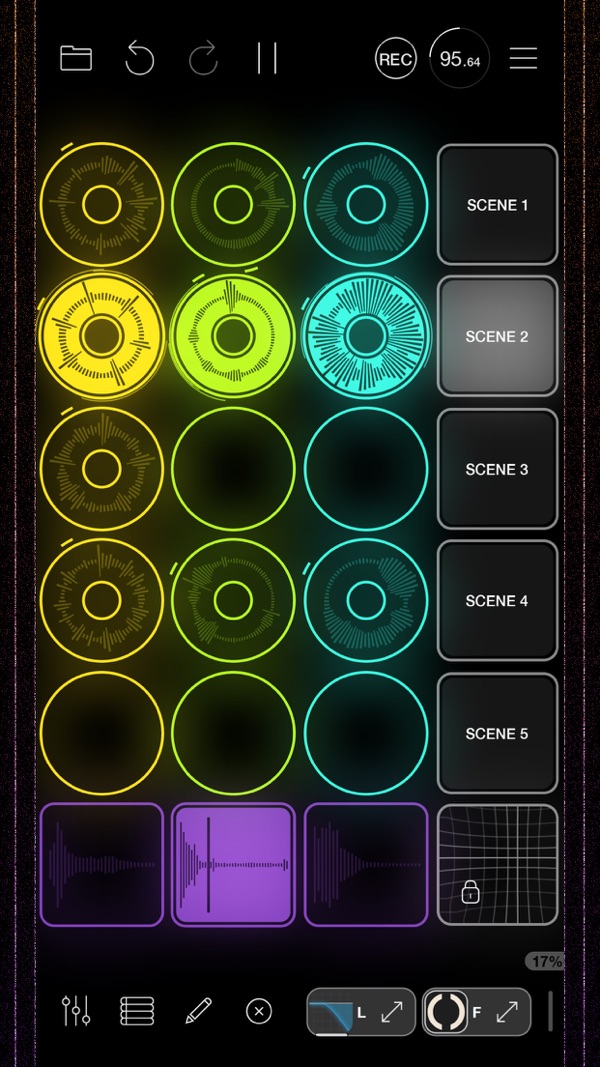
As a production tool it is unusually flexible — it can be a simple looper for stacking ideas, a clip launcher, or the hub that hosts all your other instruments and effects in one performable interface. That adaptability is exactly why it has become a centrepiece of so many iPad rigs, on stage and in the studio.
App Store: Loopy Pro — Looper DAW Sampler
Eventide Pro Effects Bundle
Eventide has ported a large part of its legendary studio-effects catalogue to iOS, and the Pro Effects Bundle collects them together. It includes the effects Eventide is famous for — the Blackhole reverb, delays, pitch shifters, modulation, and creative processors — as AUv3 plugins with real depth and character.
For production, this is how you make an iPad mix sound finished and expensive. These are the same kinds of effects that shaped countless professional records: lush, huge, and endlessly tweakable. Dropped across your synths and drums, they turn good sounds into great ones, and having the bundle means the whole toolbox is there when you need it.
App Store: Eventide Pro Effects Bundle
DAW Cassette
DAW Cassette, from Klevgrand, does one thing beautifully: it runs your audio through a modelled cassette tape, complete with wow and flutter, hiss, saturation, and the gentle high-end roll-off that gives tape its warmth. It is a character effect, not a corrective one — the point is to make things sound a little older, softer, and more human.
In a production context it is the finishing touch that ties a clean, digital arrangement together. Run a synth line, a drum bus, or a whole mix through it and the harshness rounds off into something cohesive and nostalgic. It is inexpensive, simple, and one of the quickest ways to add analog-flavoured glue to iPad-made music.
App Store: DAW Cassette
Drones — Ambient Noise Mixer
Rounding out the list is our own app, and it is deliberately not a synth or a DAW. Drones is an ambient noise mixer built around getting to a usable soundscape fast: start from artist-made loops, noise sources, field recordings, guitars, synths, and textures, then mix, slow, and re-pitch them into something that fits the moment.
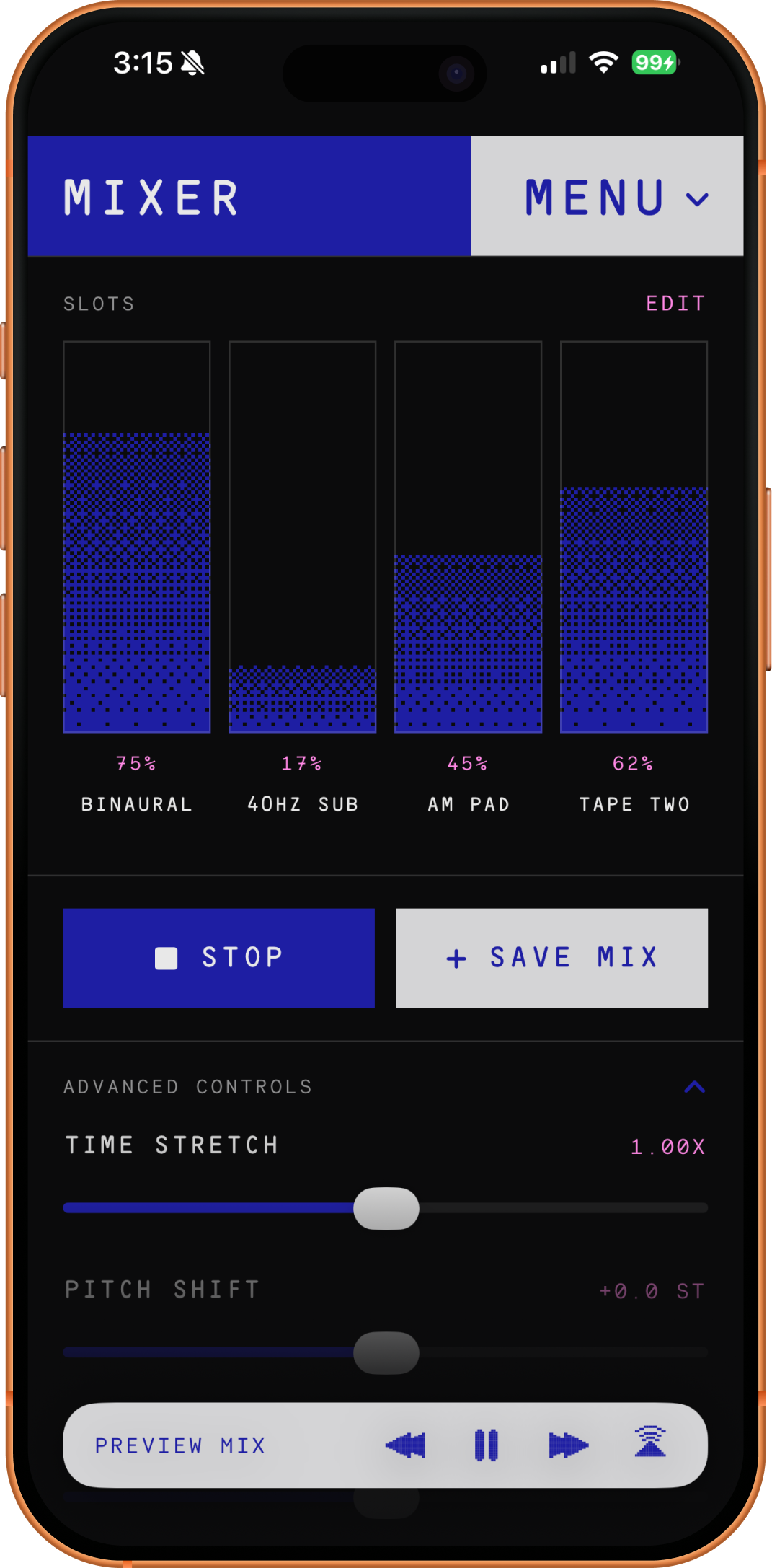
In a production setup it earns its place as an idea and texture tool. Sketch a drone or a bed of noise in Drones, record it into your host as the foundation a track grows around, or just keep it open for focus, sleep, or reading. It uses a pay-once model rather than a subscription, so it behaves more like a small instrument you buy and keep than a service you rent.
App Store: Drones — Ambient Noise Mixer
Closing Thoughts
None of these apps is a room full of tracks and faders, and that is the point. They are instruments and tools — the things that give music its voice. Between Moog's synths, physically-modelled pianos and strings, sampling and groovebox environments, sequencers that reshape time, and character effects that add warmth and grit, you can assemble a studio's worth of personality on a single tablet, then pull all of it into whatever host you like as plugins.
If you want the other half of the picture — the granular, ambient, and experimental sound-design apps that pair naturally with these instruments — the companion list of the best iOS music apps covers exactly that. Read together, the two lists make the same case from both sides: the iPad is no longer a place to practice making music. It is a place to actually make it.